Reading List
The most recent articles from a list of feeds I subscribe to.
Back to freelance
I have returned to working as an independent front-end / accessibility / devrel person. My first project will be at the Dutch government's NL Design System team.
Leaving Sanity
I recently left Sanity, where I worked in the developer relations team. After doing some “developer relations”-like work at the W3C/WAI, this was my first full-time role in the space. I loved the variety: I could create tutorial videos, improve onboarding, facilitate content design workshops, help with meetups, inspire people to structure their content (more abstract than HTML) and just generally try to make complex stuff easier to understand. Among people I liked and bonded well with… how lucky I got!
It was also an opportunity for me to leave accessibility as my primary focus, at least for a while, and broaden my horizons. Well, leave accessibility as my primary focus… though my manager at WAI had warned me about this, calling it a bit of a Hotel California situation. He was, of course, correct. At Sanity, I did spend more time in the React community, learned lots about modern tooling and challenges like real-time content management. But I also ended up as the resident accessibility go-to person and did a preliminary accessibility conformance evaluation of the core product. It was appreciated, and I, in turn, appreciated having curious and dedicated colleagues to work with.
New beginnings
Having said that, my job at Sanity stopped existing. After some explorations, I'm going back to be a freelancer / independent. I've worked in that capacity for about 15 years, it feels like a comfort zone. I also have a very exciting project to start with, that manages to combine a number of my previous interests: developer relations, web accessibility and designs systems.
NL Design System
This month, I'm joining the NL Design System core team. This project doesn't just create a design system for use by Dutch government, it creates a space for collaboration on front-end components in the open. This is the sensible thing to do, because there are a lot of Dutch government websites and services (in the tens of thousands). Many of those have their own design systems, suppliers and ways of working. But they all need to meet the same accessibility standards and there is a lot of overlap in user experience needs. Collaboration in these areas should be super beneficial. Of course, it comes with challenges, too, and the team is ready… well, as far as one can be.
 The NL Design System website
I'm looking forward to help with:
- accessibility: of components, in documentation (I have opinions) and in applying standards well
- developer relations: technical writing, outreach between the core team and collaborating teams (current or future), improving the product based on developer feedback
This is a team that people have wanted for a long time serving needs that have gone unserved for a long time, too. There's a lot of realism to be had, because, of course, one design system or team cannot magically make all the websites better, but I strongly believe in design systems (and specifically this project) as a multiplier for accessibility efforts. I am, in other words, thrilled to become part of this particular team.
Workshops / talks
In addition, I will continue to do full day workshops and other public speaking about the web and web accessibility. Two things in particular:
- a full-day workshop called “Accessibility for design system teams”, which I've started to deliver to in-house teams that are keen to use their design system as a way to increase accessibility in their product(s) and want to understand what that means in theory and practice
- a talk on popovers and dialogs that I'll present at various conferences this year, the first one at CSS Day in Amsterdam, which is pretty much my favourite front-end event
 Workshopping at Sanoma Learning
Audits
Lastly, I also plan to do a small amount of accessibility conformance audits, focused on helping teams figure out which accessibility barriers their site has and how to fix them (I call this issue oriented reporting) (and sorry, that also means I will probably say no to teams whose only goal is a report).
Wrapping up
That's all. I hope my new freelance life will also allow me to do some more blogging on this website. The drafts folder isn't the issue, I guess 😁. For now, thanks for reading!
Originally posted as Back to freelance on Hidde's blog.
An open proposal to OpenAI, Bard, Amazon, et al…: GPTeachers
The ongoing defence of frontend as a full-time job
One year later
My maternity leave has ended! I was one year at home with my little one. But, it's really like they say: the days are long, but the years are short. Around six months ago, I wrote a blog post called Matrescence which resonated with a few people. Meanwhile, as I found some headspace to go back online, I found a few more posts written by other parents that resonated with me too.
Around the time I wrote that post, things were rough in a different way. Driven by the fear of losing myself, I forced myself to attend three conferences (as an attendee) when maybe I wasn't ready. I put so much pressure on myself and on "having it all". I wanted perfection in our society's imperfect and unfair world of motherhood. I would crumble when I didn't achieve perfection (I never did). Finally, around December, I admitted that I needed to pause. Mentally I wasn't okay, so I took myself to see a GP. While we're still bouncing back ideas on whether I have PPD or PMDD, I started medication.
The first weeks were again tough. The side effects were brutal, and it took a while to see a difference. But now, nearly six months later, I am thankful to my past self for taking action. While life wasn't easy (for example, my father passed away unexpectedly a couple of months ago), I coped much better than I would have six months ago. And, of course, while there are moments of sadness, I can finally find joy in many things. Of course, I still worry about milestones and everything that entails in growing a little human, but I don't start the waterworks and can sleep at night.
Besides medication, I also took a proper social media break. It helped that Twitter, my social media of choice to compare myself to others and then feel sad, somehow got even worse, and people started to migrate to other places. But I did delete the app from my phone. Eventually, I completely forgot to check it out. Away from the sight, away from the heart. I stopped checking other places where the tech community hung out and didn't work on my blog. I stopped. And it was the best thing I did.
More recently, I did get back to it and noticed a few things. My network is now much smaller and also more spread out. I suppose many people assumed that my lack of content meant goodbye, so I must admit that it was a bit sad seeing mutuals unfollowing me. It's okay, and I know it isn't personal, but my evil inner voice blames me for not being "out there". On the other hand, I did reconnect with people differently.
I'm happy and excited for this new chapter of my life. I'm so glad to have found peace and some happiness in slowing down. I'm sure some days I will have labrador energy, and I'm sure that other days it will look like I went missing again.
I asked on Twitter, Mastodon and Bluesky what I missed, and these were the replies. So if you were away for the last 12 months, here it goes!
- 100 Days Of More Or Less Modern CSS via Dana and Stu.
- CSS Variable Secrets via Matthias.
- Scaling CSS Layout Beyond Pixels via Matthias.
- A Complete Guide to CSS Cascade Layers via Matthias.
- Use the Right Container Query Syntax via Matthias.
- beyond tellerrand 2023 playlist via Calum.
- Rich Harris on frameworks, the web, and the edge via bersling.
- The Interactive Guide to Rendering in React via Nitin.
- Andy Bell's talk "be the browsers mentor, not it's micro-manager" via Grace and Gregory.
New talk: Learning DNS in 10 years
Here’s a keynote I gave at RubyConf Mini last year: Learning DNS in 10 years. It’s about strategies I use to learn hard things. I just noticed that they’d released the video the other day, so I’m just posting it now even though I gave the talk 6 months ago.
Here’s the video, as well as the slides and a transcript of (roughly) what I said in the talk.
the video
the transcript

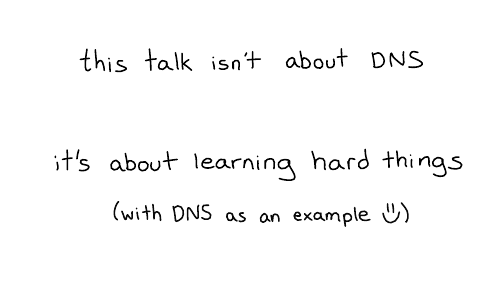
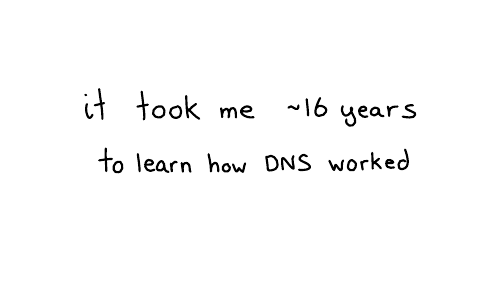
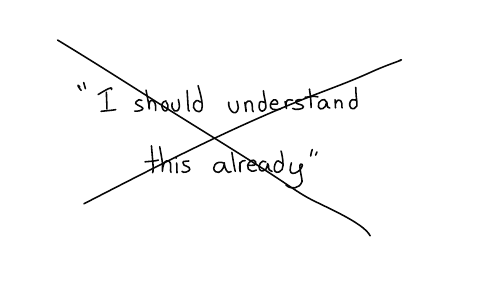

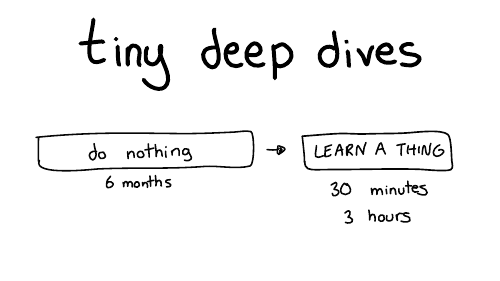
So, we're going to talk about learning through a series of tiny deep dives. My favorite way of learning things is to do nothing, most of the time.
That's why it takes 10 years.
So for six months I'll do nothing and then like I'll furiously learn something for maybe 30 minutes or three hours or an afternoon. And then I'll declare success and go back to doing nothing for months. I find this works really well for me.
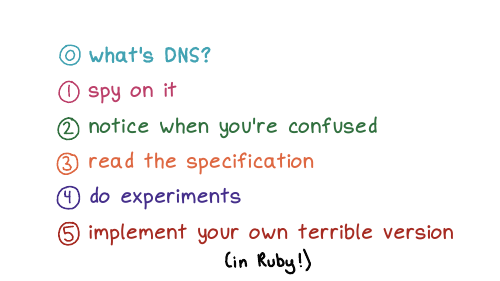
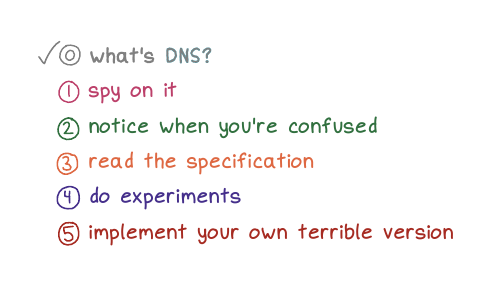
Here are some of the strategies we're going to talk about for doing these tiny deep dives
First, we're going to start briefly by talking about what DNS is.
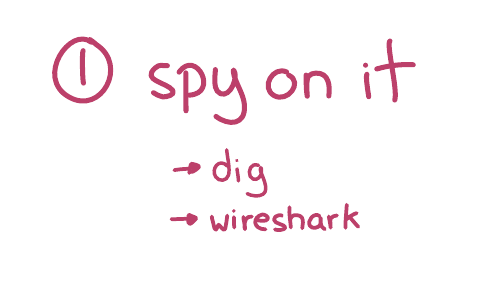
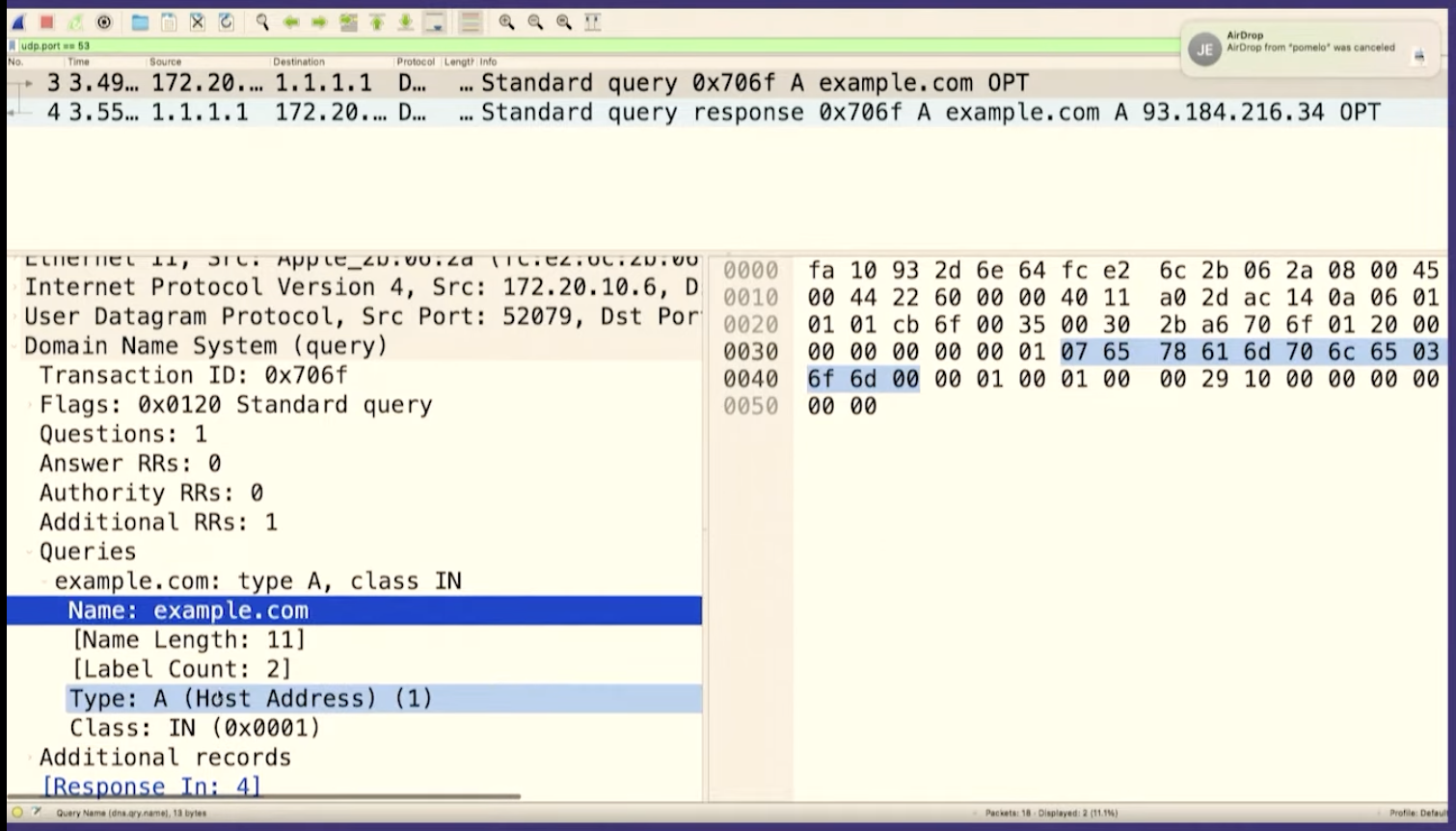
Next, we're going to talk about spying on DNS.
Then we're gonna talk about being confused, which is my main mode. (I'm always confused about something!)
Then we'll talk about reading the specification, we'll going to do some experiments, and we're going to implement our own terrible version of DNS.
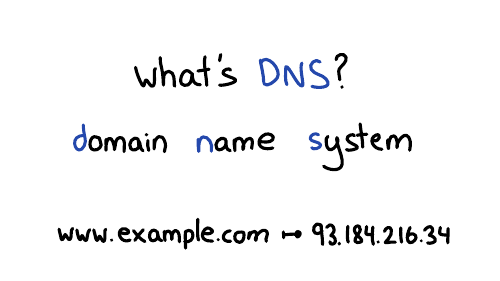
www.example.com, your browser
needs to look up that website's IP address. So DNS translates
domain names into IP addresses. It looks up other information about domain
names too, but we're mostly just going to talk about IP addresses today.


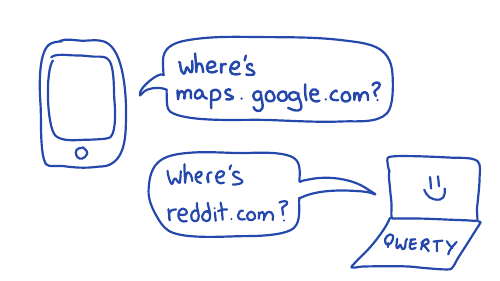
For example, you're on your phone, you're using Google Maps, it needs to know, where is maps.google.com, right? Or on your computer, where's reddit.com? What's the IP address? And if we didn't have DNS, the entire internet would collapse.
I think it's fun to learn how this behind the scenes stuff works.
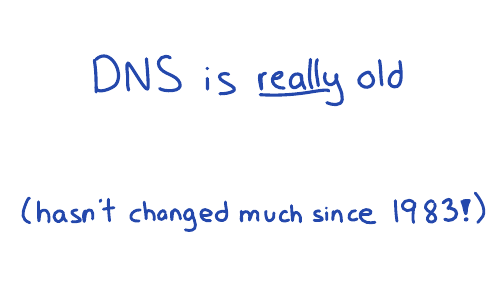
The other thing about DNS I find interesting is that it's really old. There's this document (RFC 1035) which defines how DNS works, that was written in 1987. And if you take that document and you write a program that works the way that documents says to work, your program will work. And I think that's kind of wild, right?
The basics haven't changed since before I was born. So if you're a little slow about learning about it, that's ok: it's not going to change out from under you.
maps.google.com. We
can do that in dig!

dig maps.google.com, it prints out 5 fields. Let's
talk about what those 5 fields are.
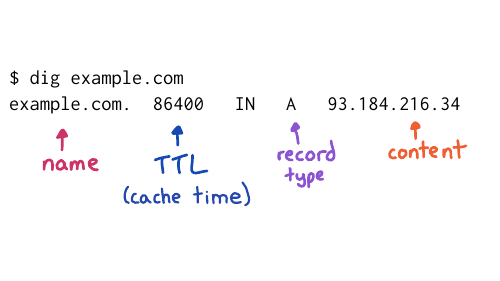
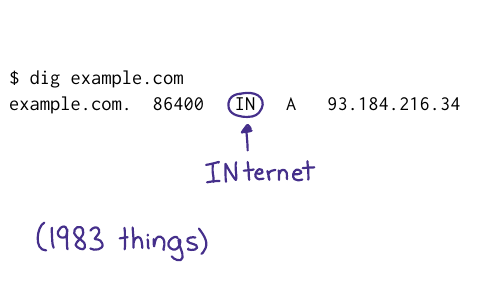
I've used example.com instead of maps.google.com on this slide, but the fields are the same. Let's talk about 4 of them:
We have the domain name, no big deal
The Time To Live, which is how long to cache that record for so this is a one day
You have the record type, A stands for address because this is an IP address
And you have the content, which is the IP address
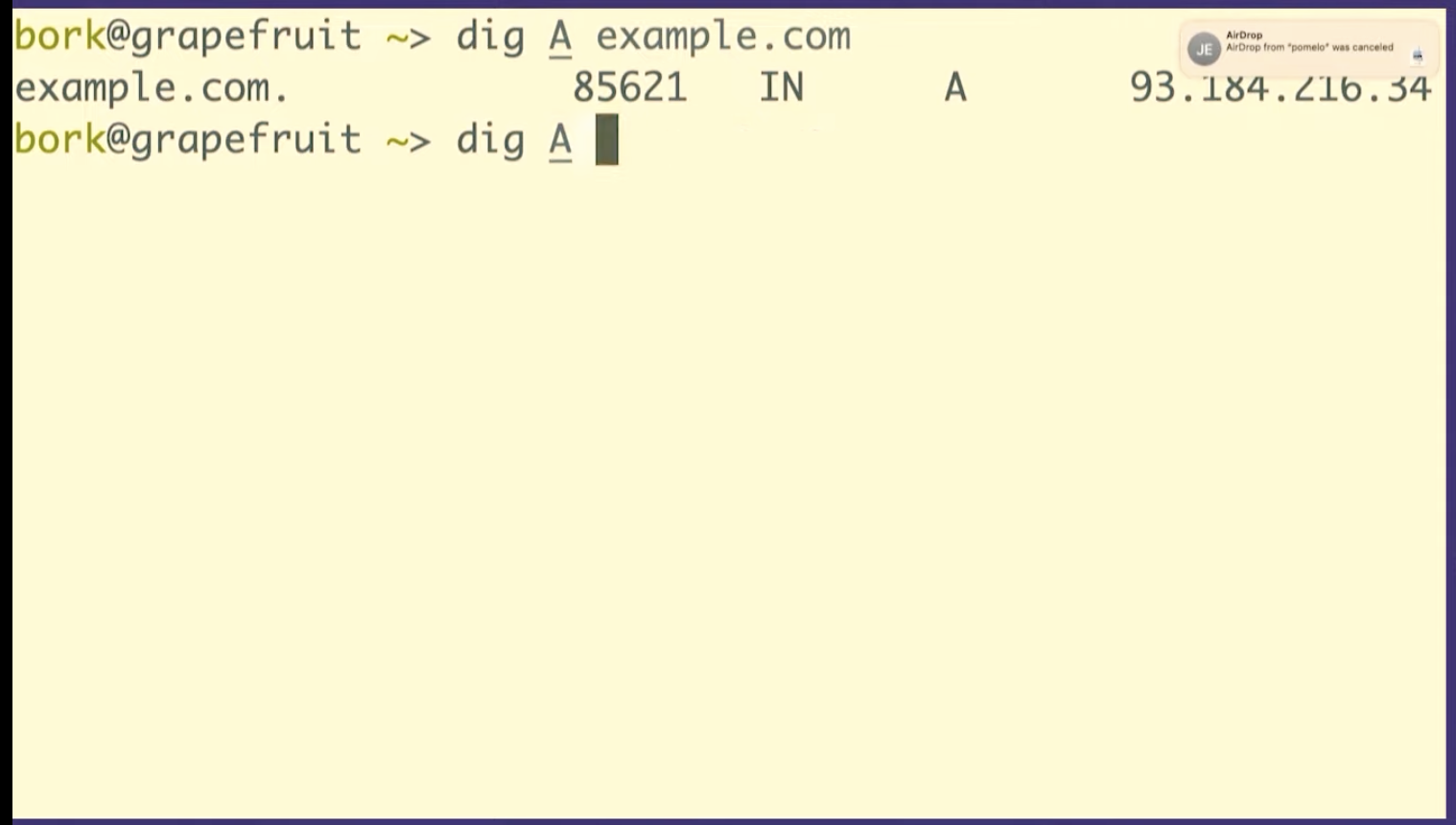
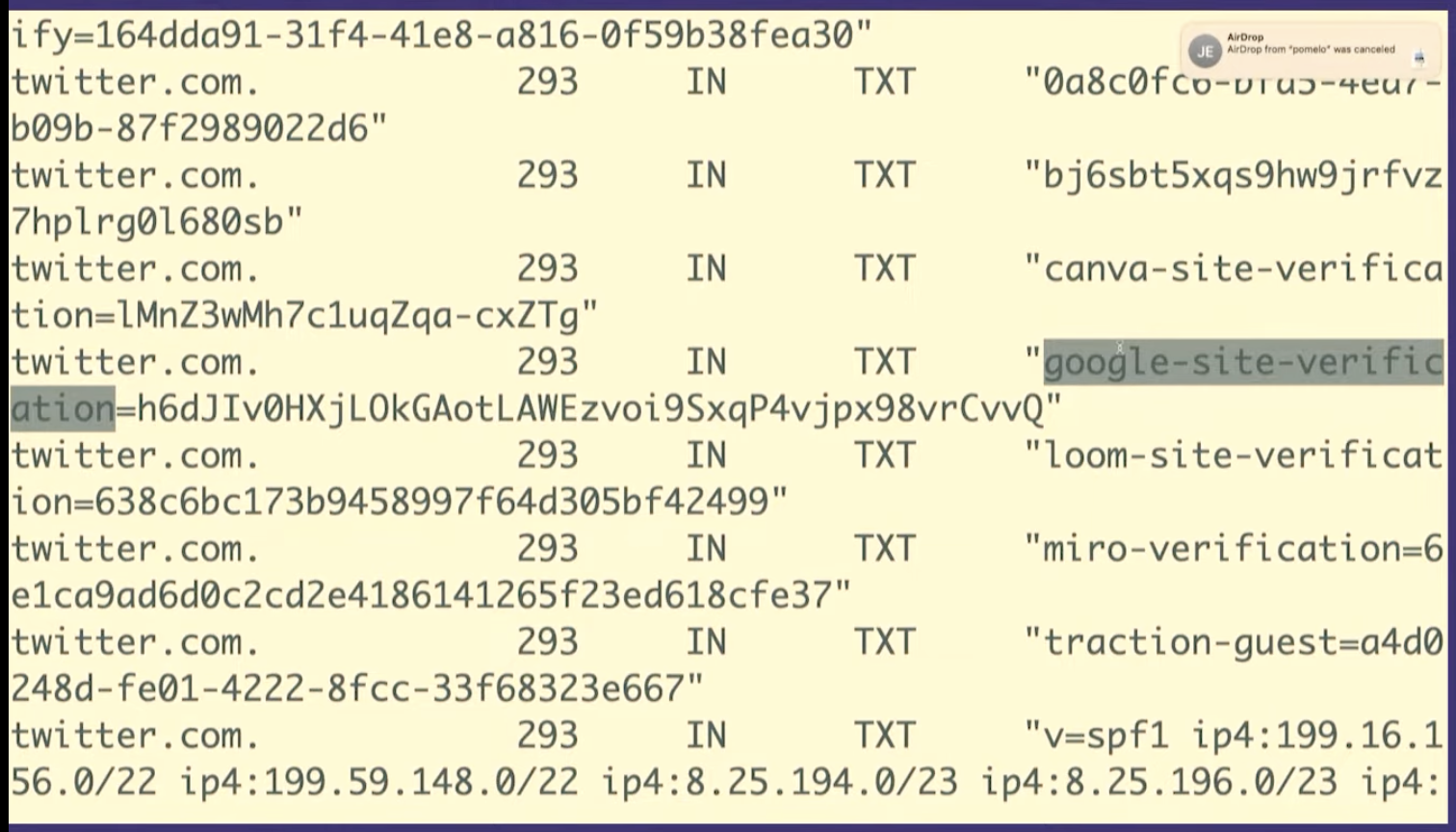
But there are other kinds of records like TXT records. So we're going to look at a TXT record really quickly just because I think this is very fun. We're going to look at twitter.com's TXT records.
So TXT records are something that people use for domain verification, for example to prove to Google that you own twitter.com.
So what you can do is you can set this DNS
record google-site-verification. Google will tell you what to set
it to, you'll set it, and then Google will believe you.
I think it's kind of fun that you can like kind of poke around with DNS and see that Twitter is using Miro or Canva or Mixpanel, that's all public. It's like a little peek into what people are doing inside their companies
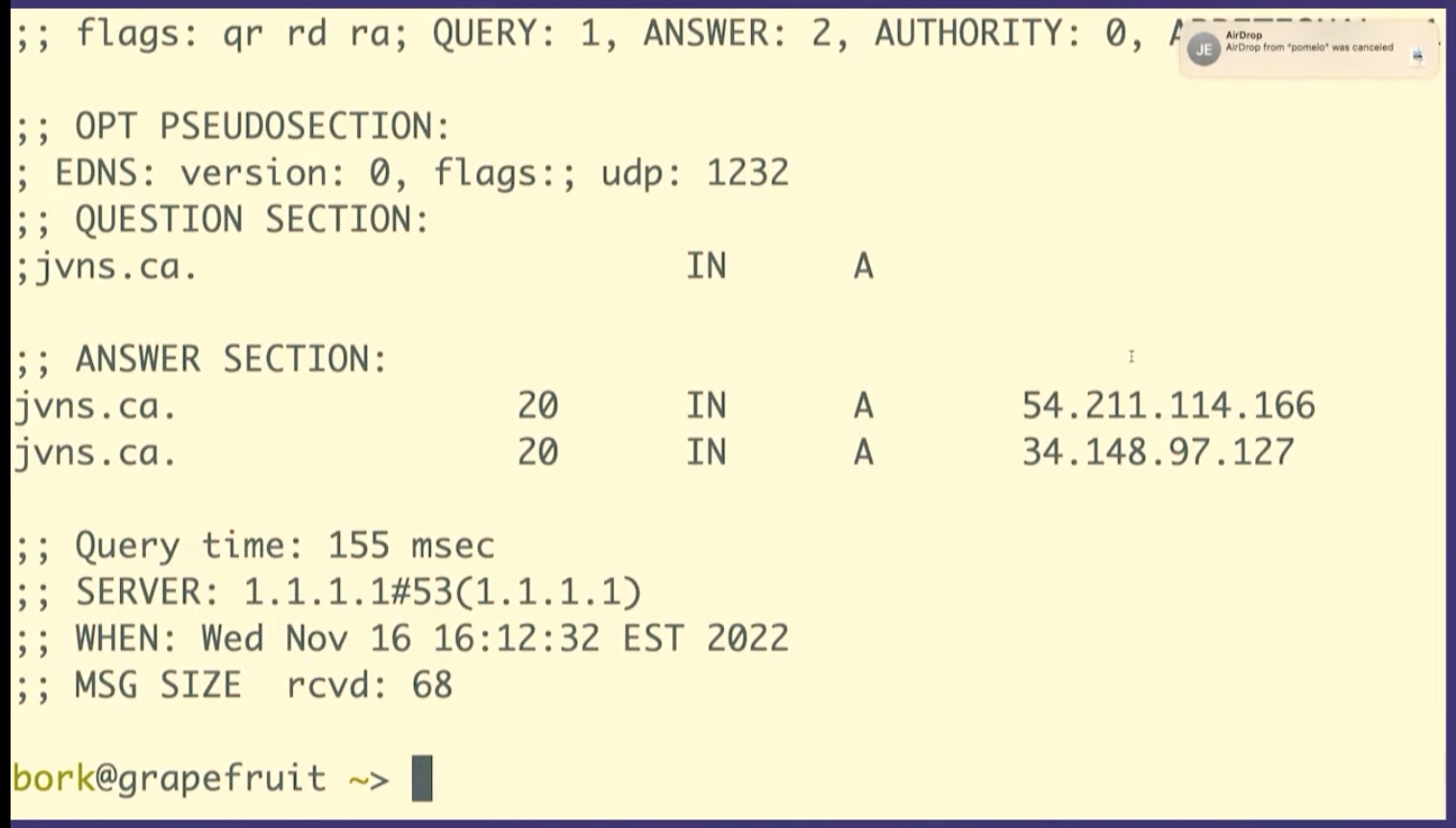
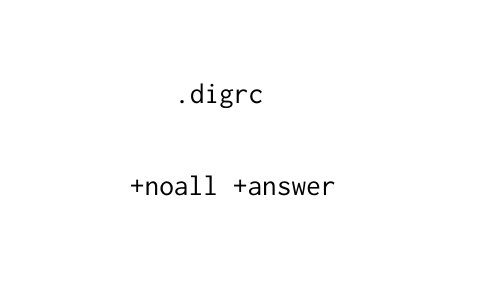
+noall +answer and
then your dig responses look much nicer (like they did in the screenshots
above) instead of having a lot of nonsense in them. Whenever possible, I try to
make my tools behave in a more human way.


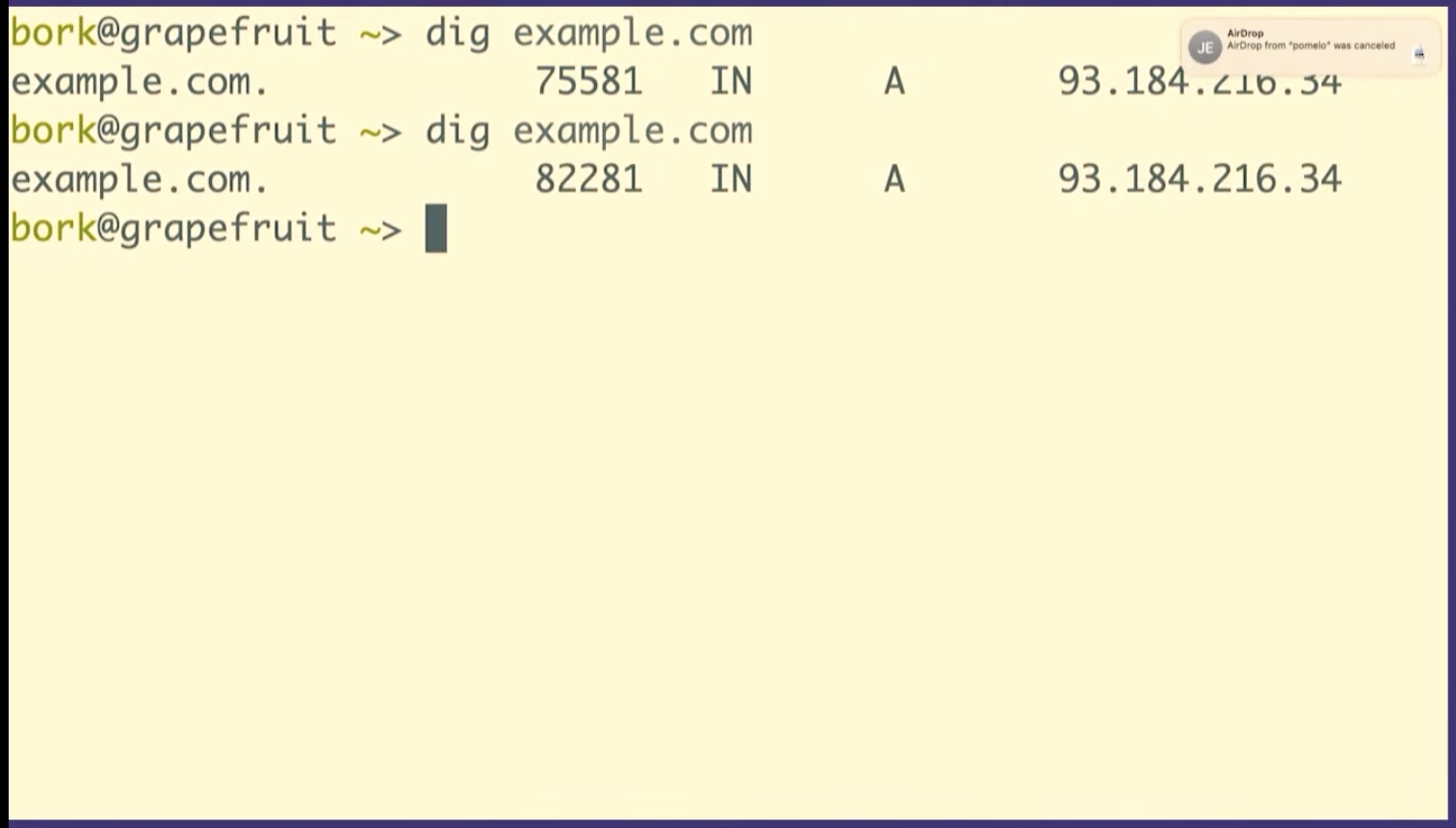


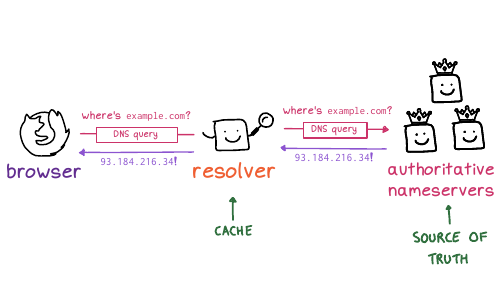
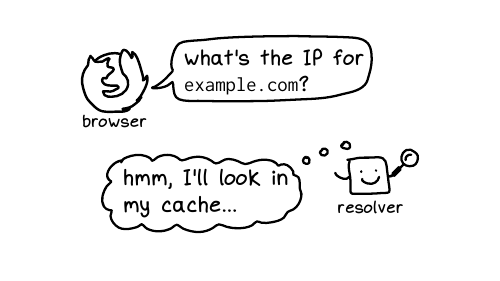
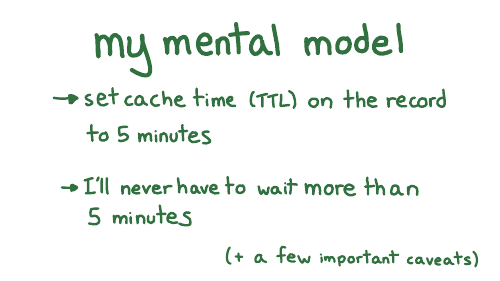



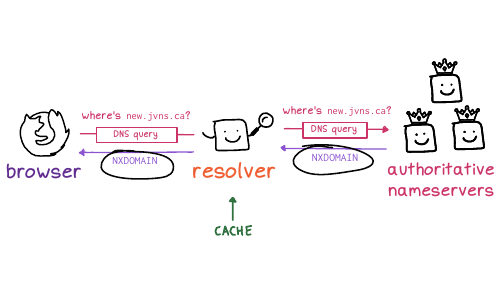
And so here's what it said might be going on. The first time I opened the website (before the DNS records had been set up), the DNS servers returned a negative answer, saying hey,this domain doesn't exist yet. The code for that is NXDOMAIN, which is like a 404 for DNS.
And the resolver cached that negative NXDOMAIN response. So the fact that it didn't exist was cached.
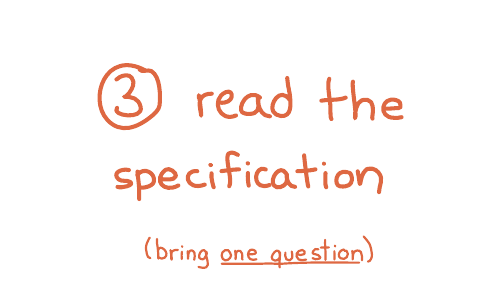
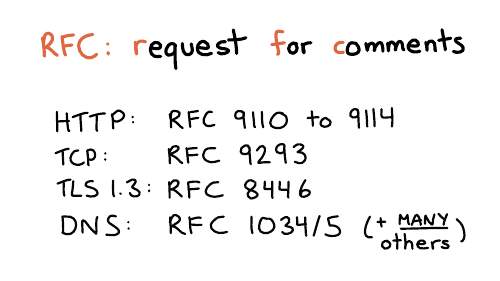
In networking, everything has a specification. The boring technical documents are called RFC is for request for comments. I find this name a bit funny, because for DNS, some of the main RFCs are RFC 1034 and 1035. These were written in 1987, and the comment period ended in 1987. You can definitely no longer make comments. But anyway, that's what they're called.
I personally kind of love RFCs because they're like the ultimate answer to many questions. There's a great series of HTTP RFCs, 9110 to 9114. DNS actually has a million different RFCs, it's very upsetting, but the answers are often there. So I went looking. And I think I went looking because when I read comments on StackOverflow, I don't always trust them. How do I know if they're accurate? So I wanted to go to an authoritative source.
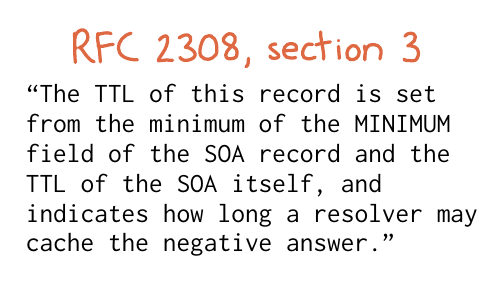

So, um, ok, cool. What does that mean, right? Luckily, we only have one question: I don't need to read the entire boring document. I just need to like analyze this one sentence and figure it out.
So it's saying that the cache time depends on two fields. I want to show you the actual data it's talking about, the SOA record.
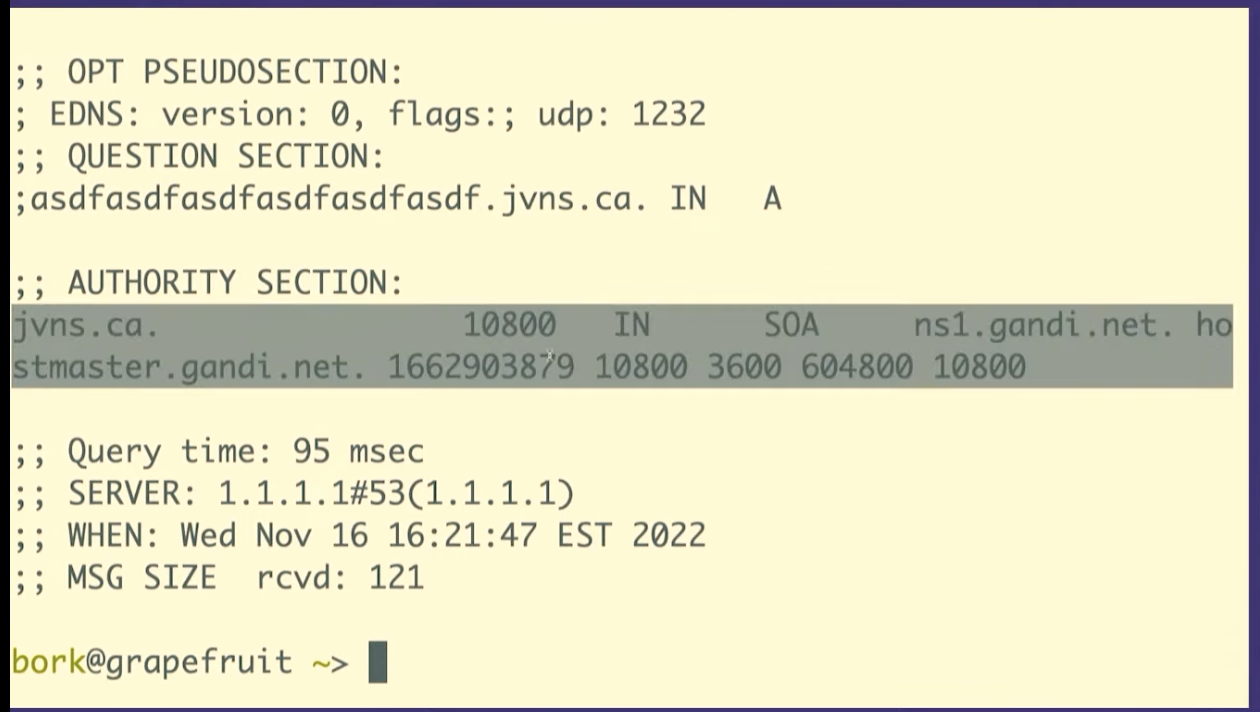
dig +all asdfasdfasdfasdfasdf.jvns.ca
It says that the domain doesn't exist, NXDOMAIN. But it also returns this
record called the SOA record, which has some domain metadata. And there are two
fields here that are relevant.

Here. I put this on a slide to try to make it a little bit clearer. This slide is a bit messed up, but there's this field at the end that's called the MINIMUM field, and there's the TTL, time to live of the record, that I've tried to circle.
And what it's saying is that if a record doesn't exist, the amount of time the resolver should cache "it doesn't exist" for is the minimum of those two numbers.
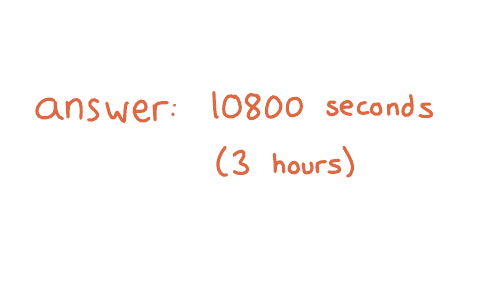

And so I waited three hours and then everything worked. And I found this kind of fun to know because often like if you look up DNS advice it will say something like, if something has gone wrong, you need to wait 48 hours. And I do not want to wait 48 hours! I hate waiting. So I love it when I can like use my brain to figure out that I can wait for less time.

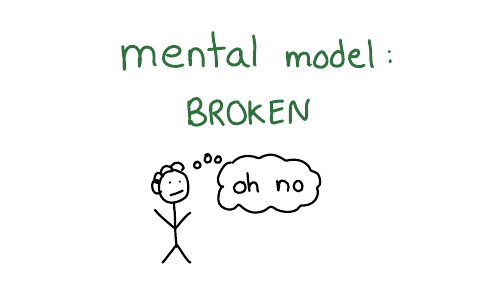
Sometimes when I find my mental model is broken, it feels like I don't know anything
But in this case, and I think in a lot of cases, there's often just a few things I'm missing? Like this negative caching thing is like kind of weird, but it really was the one thing I was missing. There are a few more important facts about how DNS caching works that I haven't mentioned, but I haven't run into more problems I didn't understand since then. Though I'm sure there's something I don't know.
So sometimes learning one small thing really can solve all your problems.
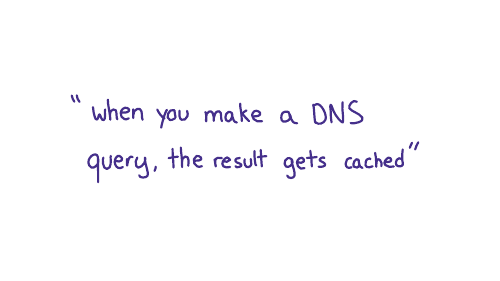
So let's say we want to do some experiments with caching.
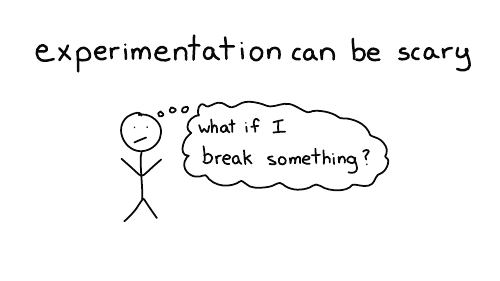
I think most people don't want to make experimental changes to their domain names, because they're worried about breaking something. Which I think is very understandable.

Because I was really into DNS, I wanted to experiment with DNS. And I also wanted other people to experiment with DNS without having to worry about breaking something. So I made this little website with my friend, Marie, called Mess with DNS
The idea is, if you don't want to do that DNS experiments on your domain, you can do them on my domain. And if you mess something up, it's my problem, it's not your problem. And there have been no problems, so that's fine.
So let's use Mess With DNS to do a little DNS experimentation
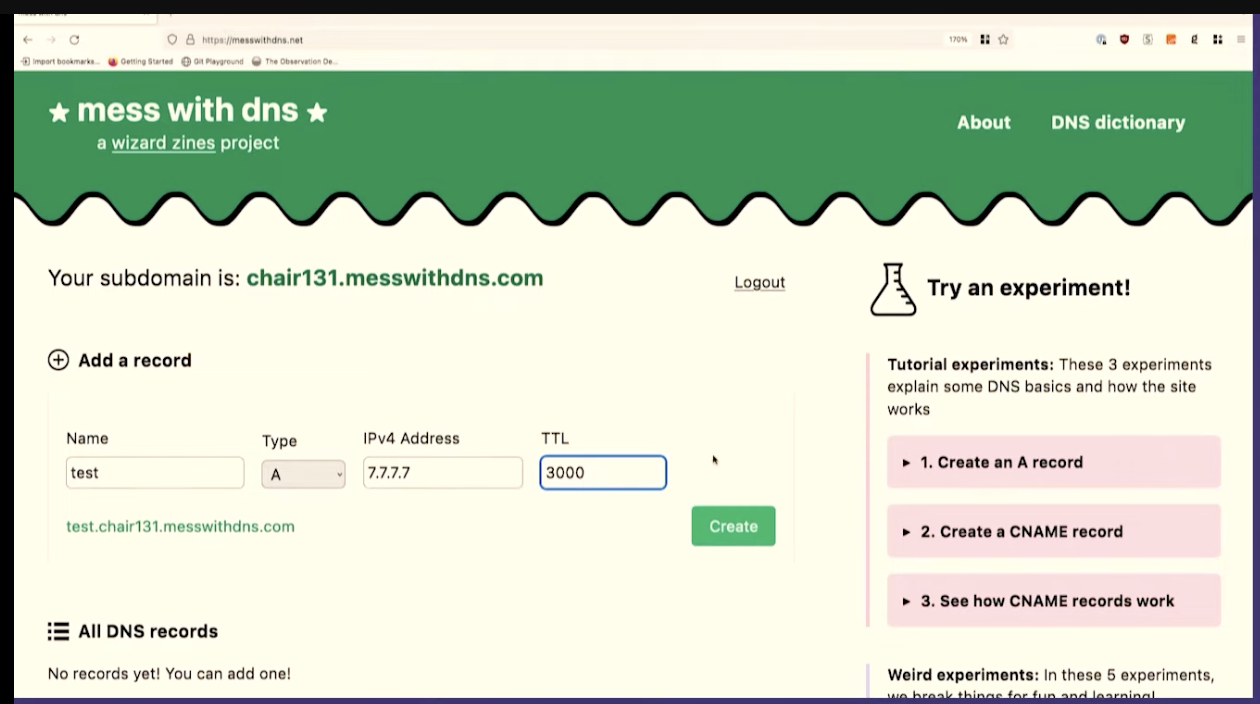
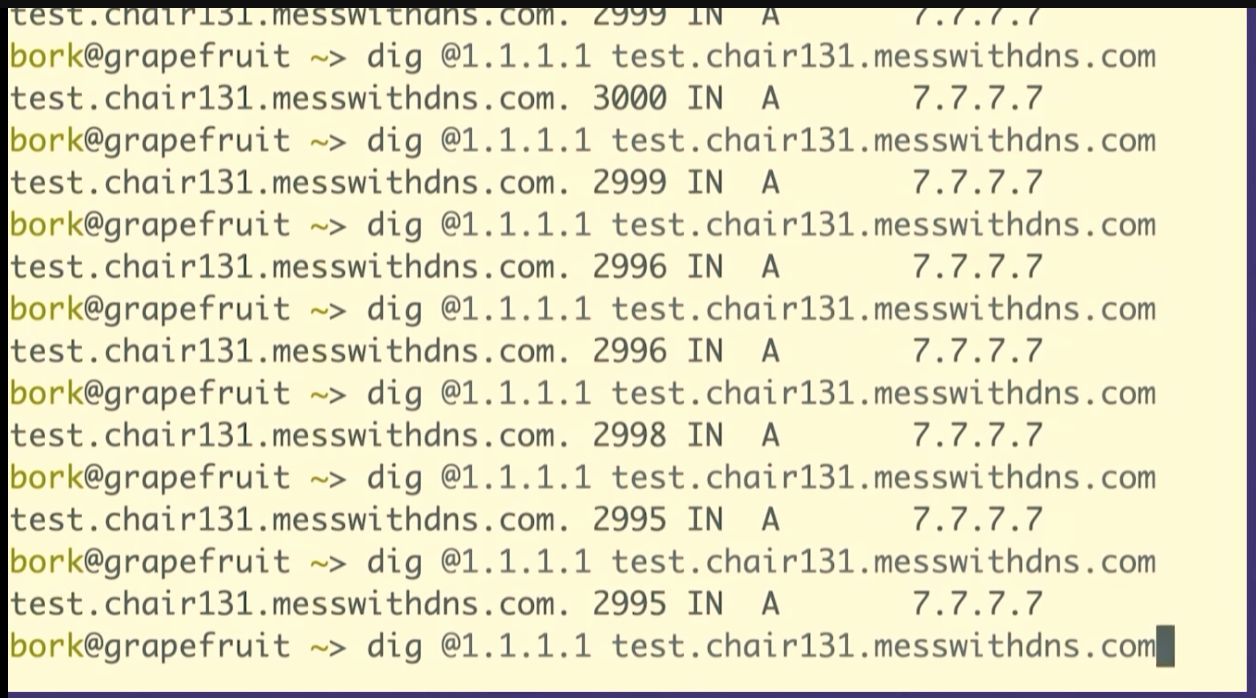
dig @1.1.1.1 test.chair131.messwithdns.com.
I've queried it a bunch of times, maybe 10 or 20.
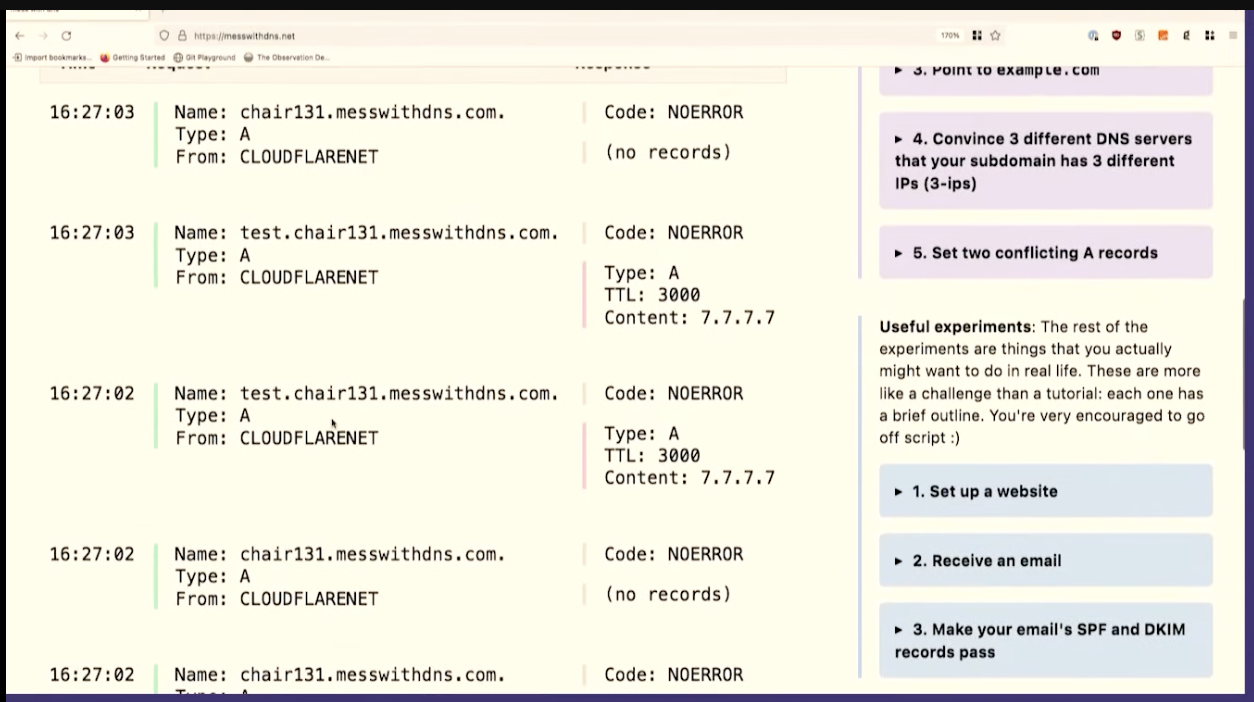
Oh, cool. This isn't what I expected to see. This is fun, though, that's great. We made about 20 queries for that DNS record. The server logs all queries it receives, so we can count them. Our server got 1, 2, 3, 4, 5, 6, 7, 8 queries. That's kind of fun. 8 is less than 20.
One reason I like to do demos live on stage is that sometimes what I what happens isn't exactly what I think will happen. When I do this exact experiment at home, I just get 1 query to the resolver.
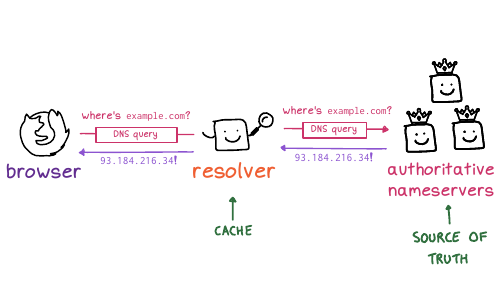
So we only saw like eight queries here. And I assume that this is because the resolver, 1.1.1.1, we're talking to has more than one independent cache, I guess there are 8 caches. This makes sense to me because Cloudflare's network is distributed -- the exact machines I'm talking to here in Providence are not the same as the ones in Montreal.
This is interesting because it complicates your idea about how caching works a little bit, right? Like maybe a given DNS resolver actually has like eight caches and which one you get is random, and you're not always talking to the same one. I think that's what's going on here.
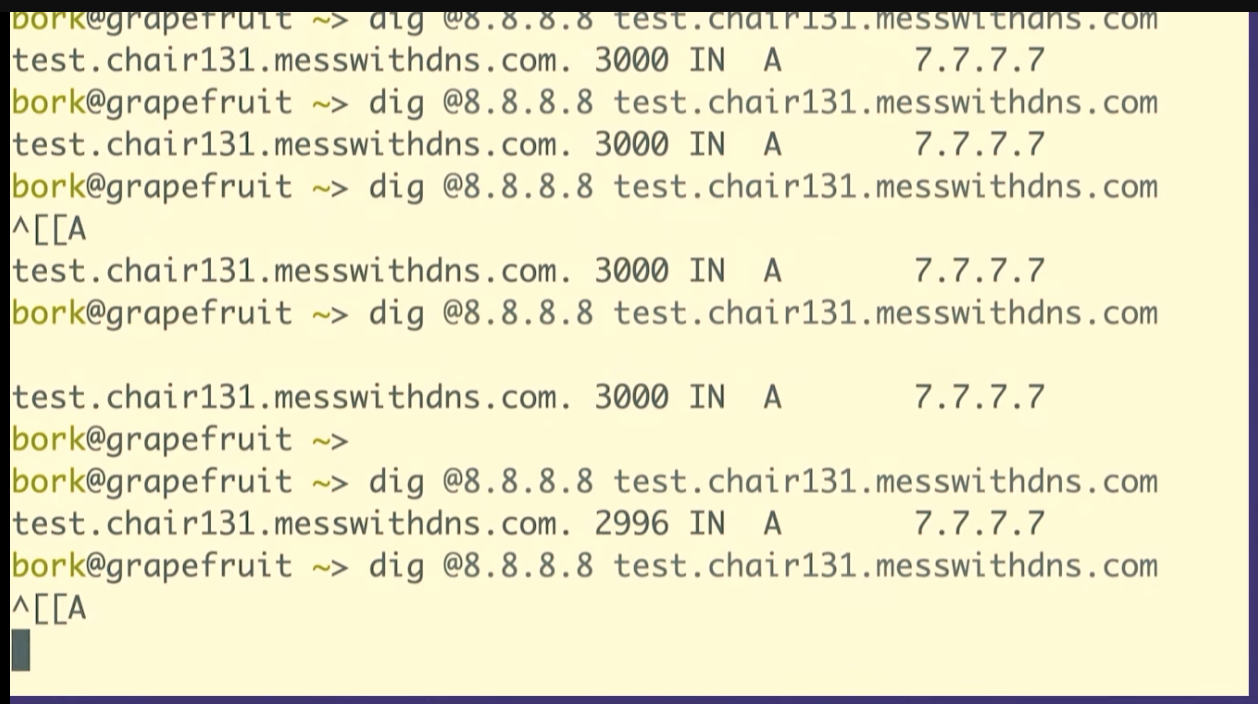
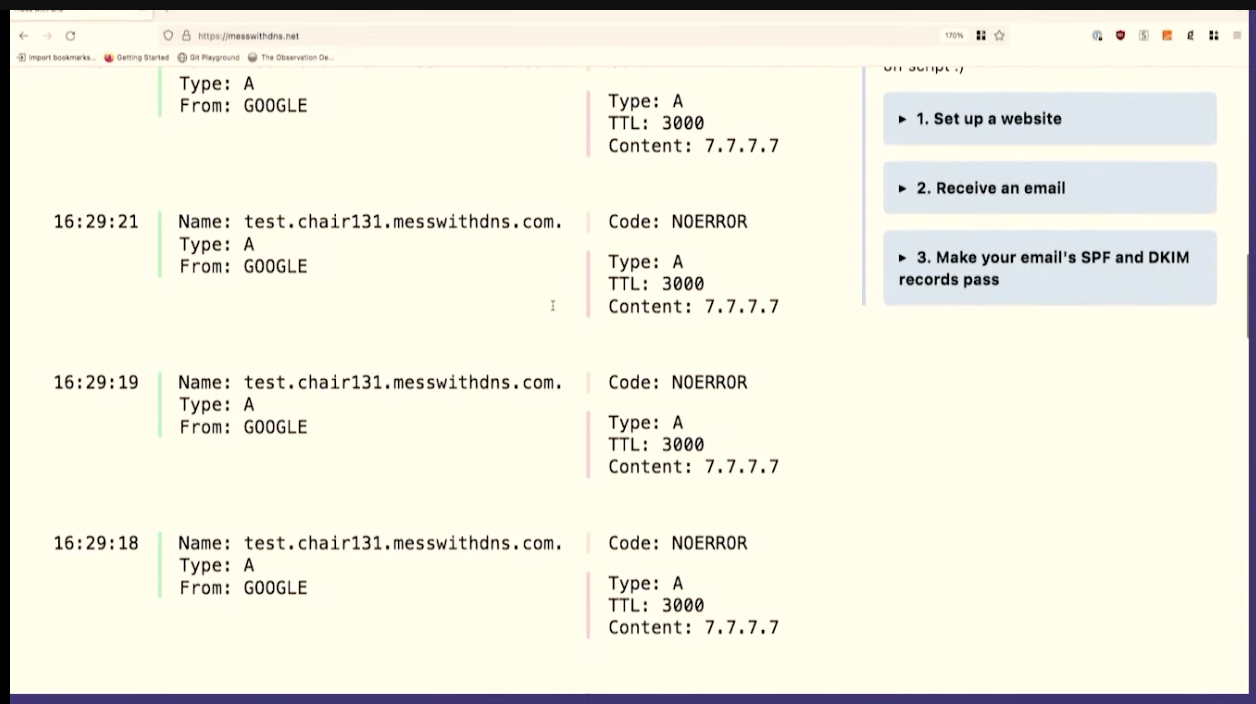

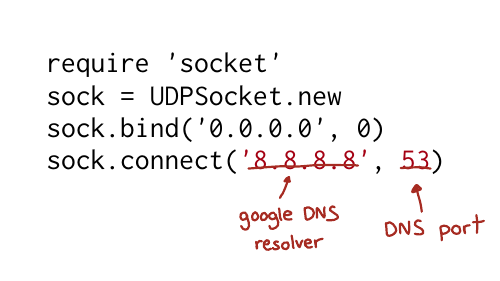
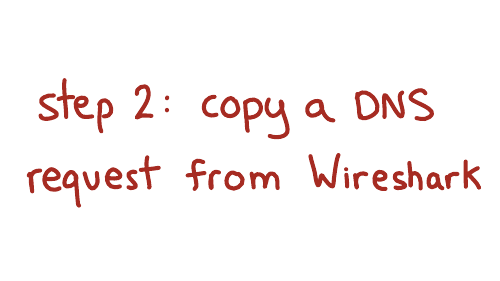
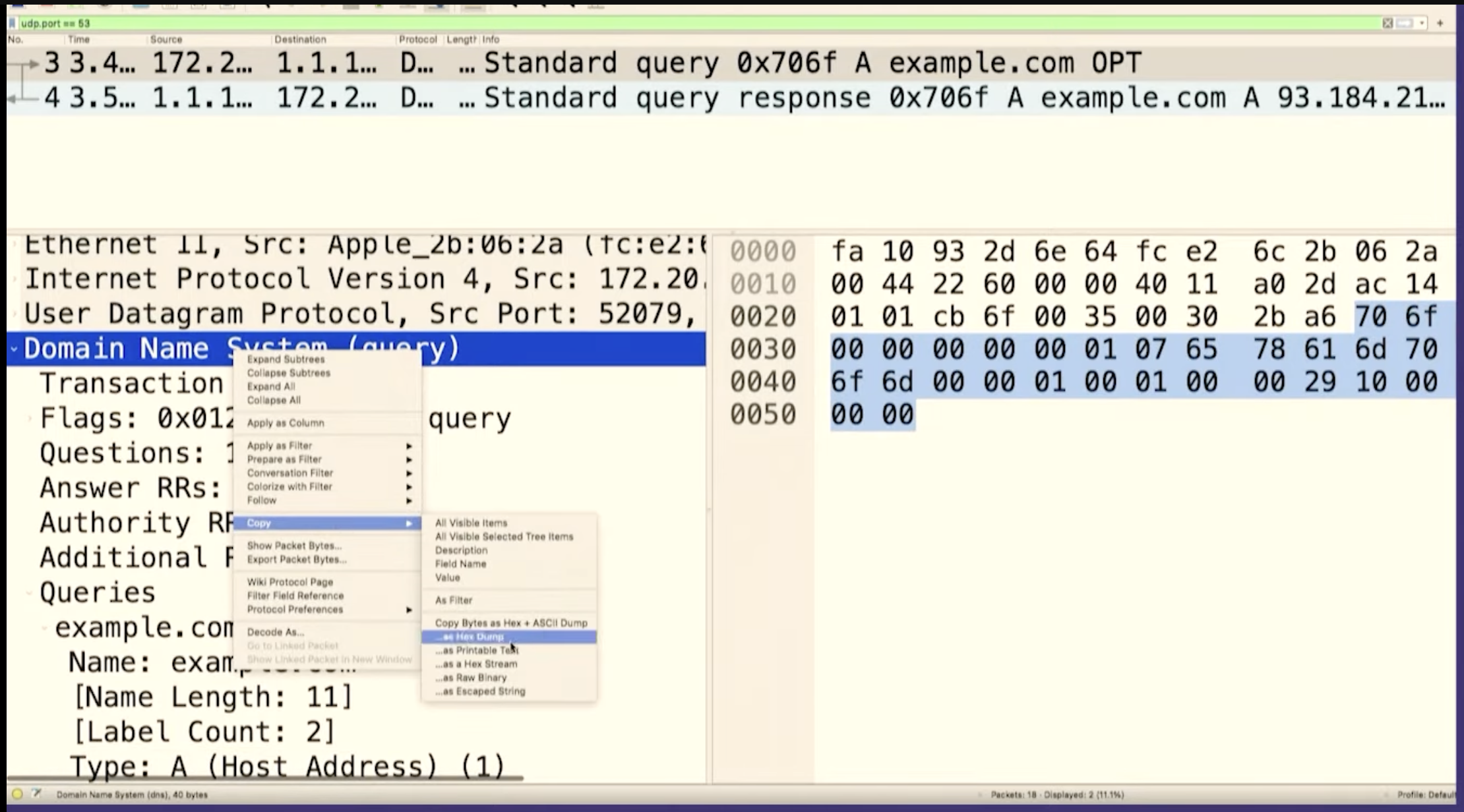

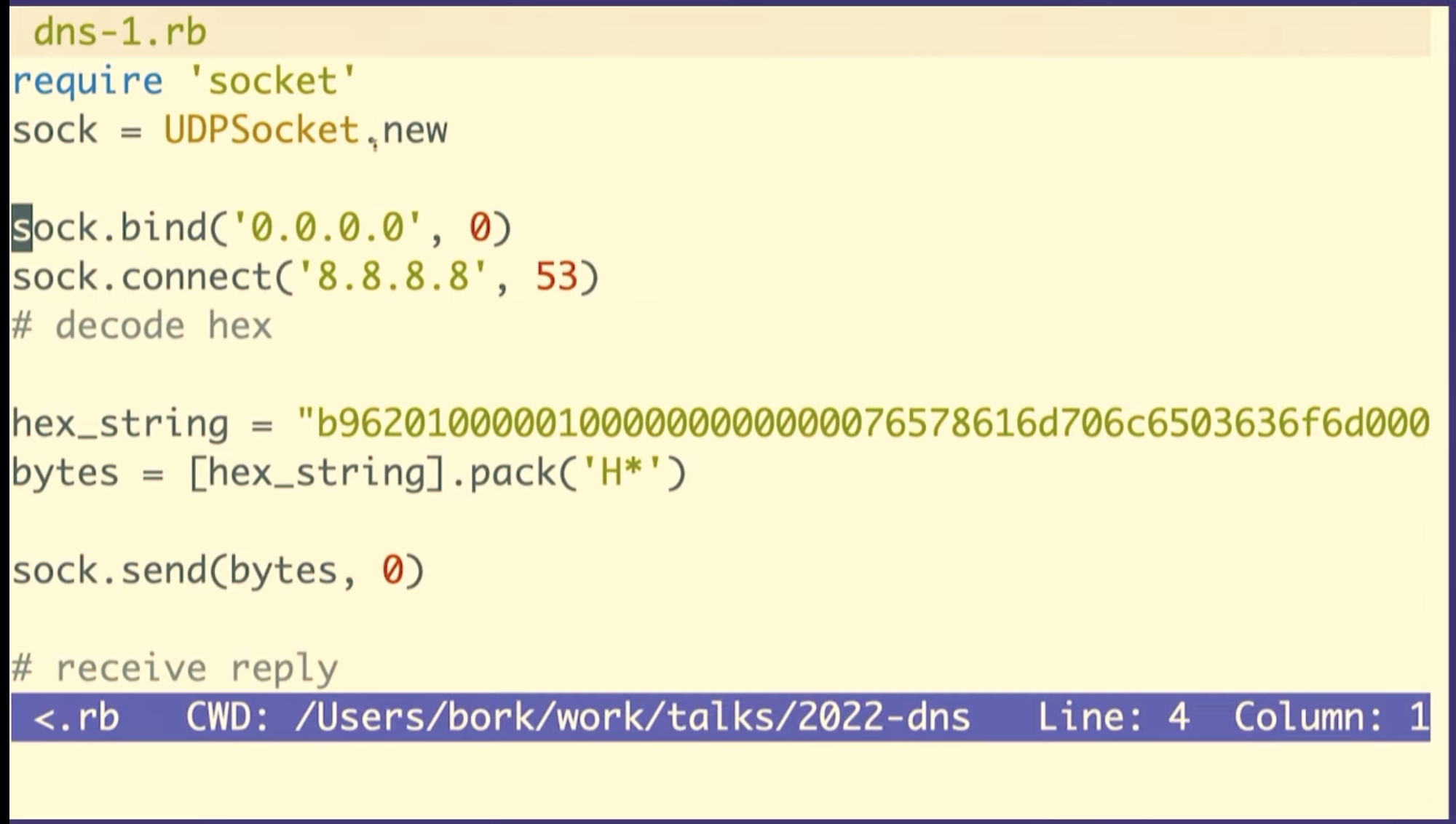
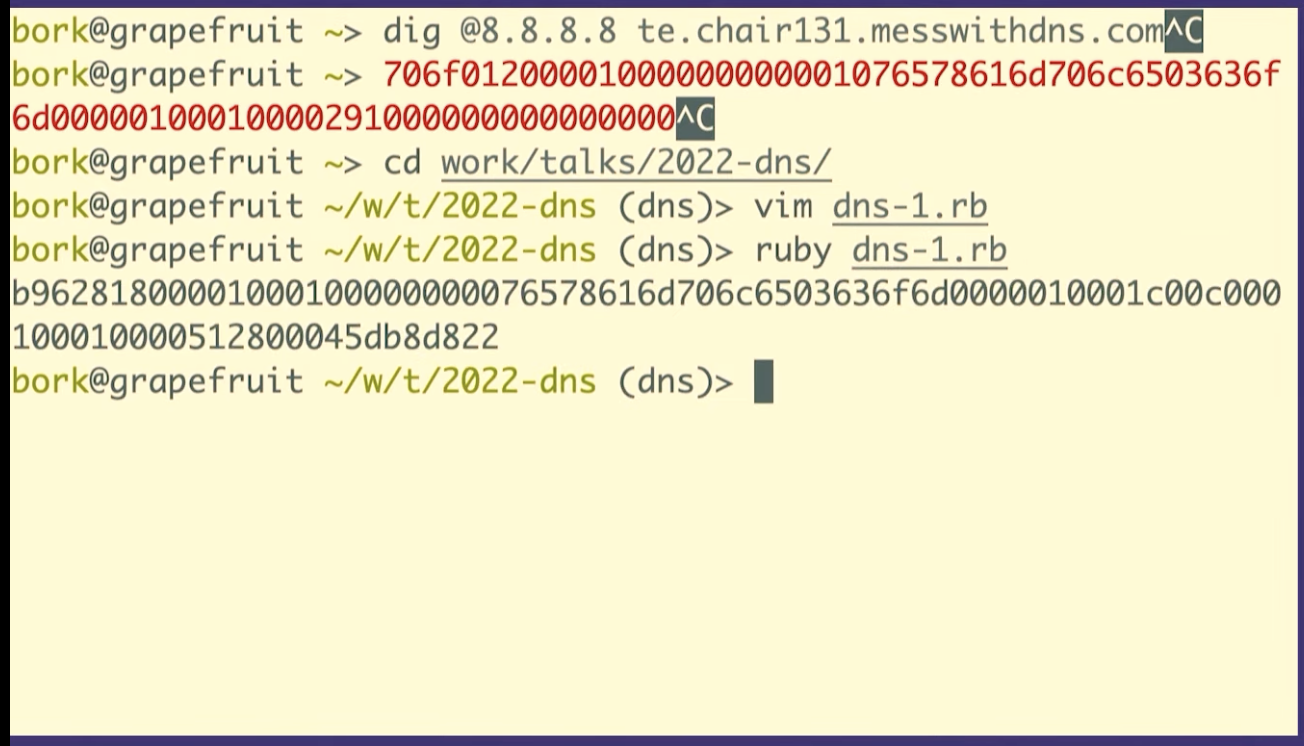

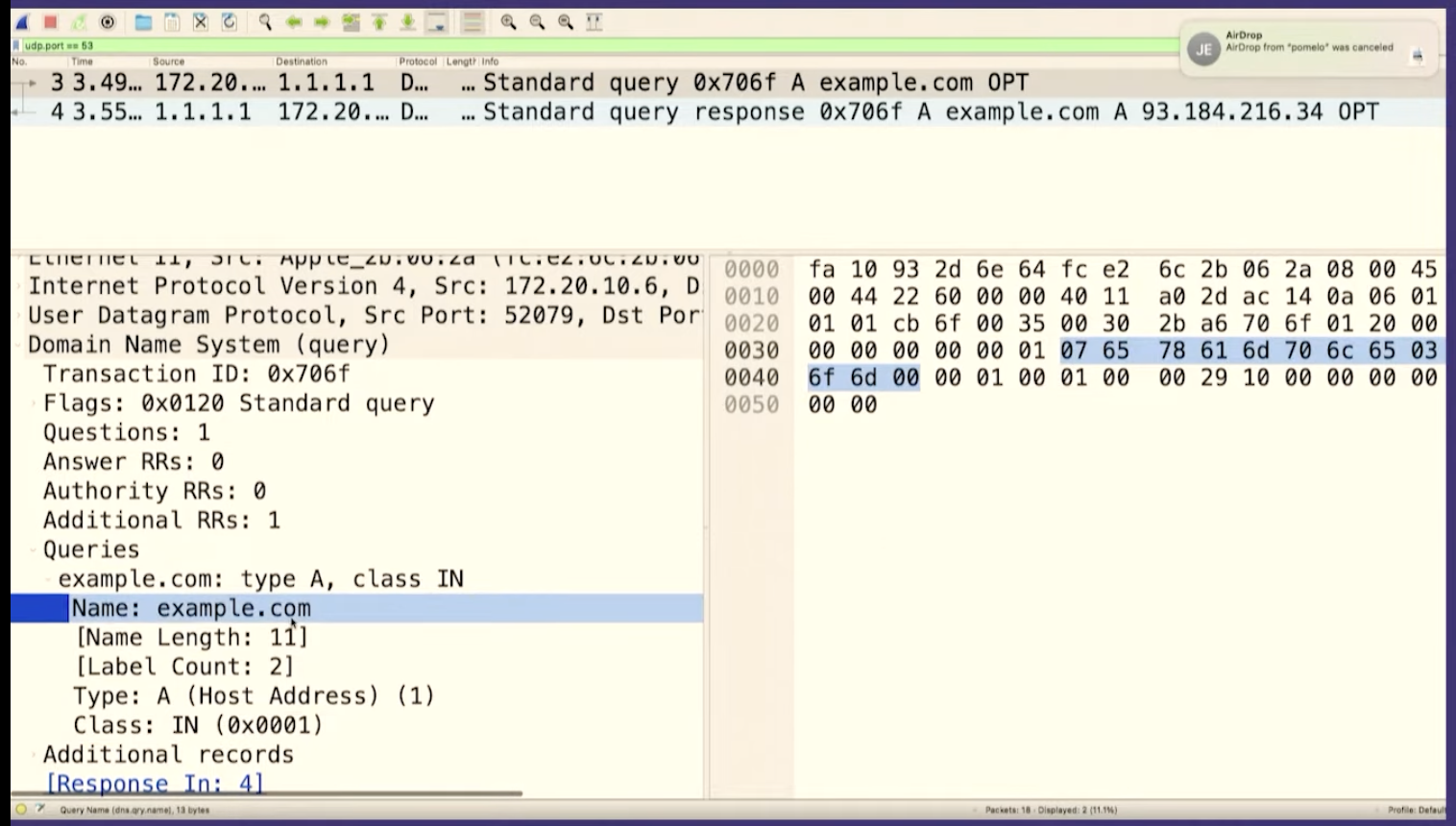
Let's go to Wireshark and look for the packet we just sent. And we can see it there! There's some other noise in between, so I'll stop the capture.
We can see that it's the same packet because the query ID matches, B962.
So we sent a query to Google the answer server and we got a response right? It was like this is totally legitimate. There's no problem. It doesn't know that we copied and pasted it and that we have no idea what it means!
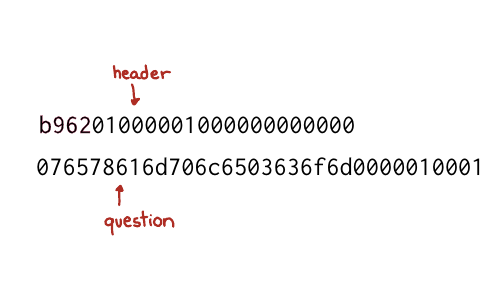

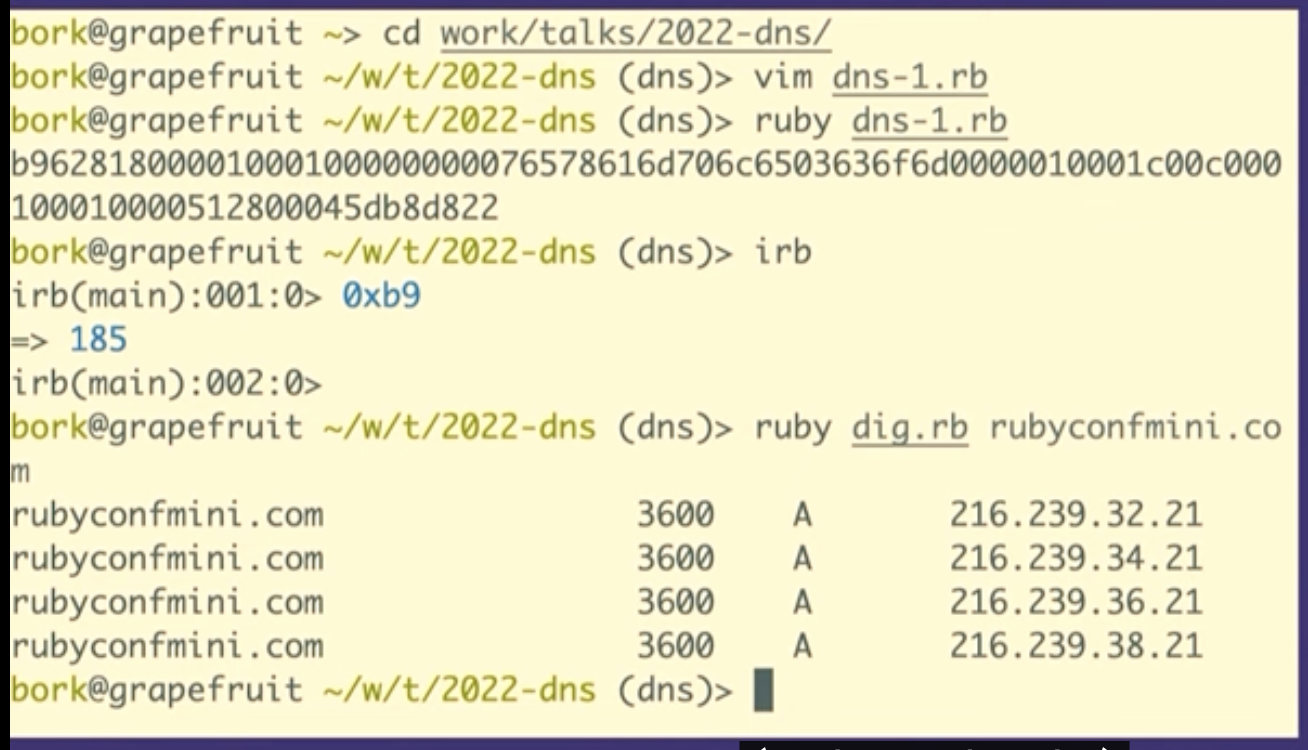
We're going to see how to construct these in Ruby, but first I want to talk about what a byte is for one second. So this (b9) is the hexadecimal representation of a byte. The way I like to look at figure out what that means is just type it into IRB, if you type in 0xB9 it'll print out, that's the number 184.
So the question is 12 bytes
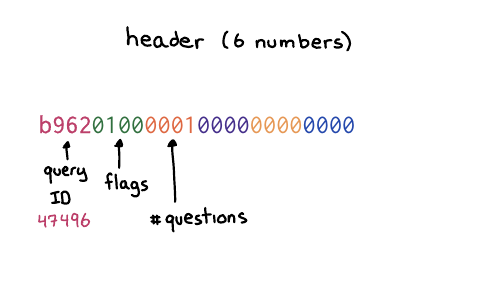
b962 which is the query ID. The next number is the flags, which
basically in this case, means like this is a query like hello, I have a
question. And then there's four more sections, the number of questions and then
the number of answers. We do not have any answers. We only have a question. So
we're saying, hello, I have one question. That's what the header means.
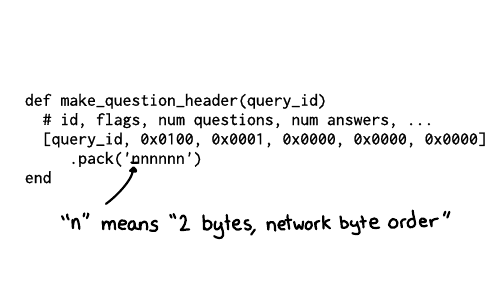
And the way that we can do this in Ruby, is we can make a little array that has the query ID, and then these numbers which correspond to the other the other header fields, the flags and then 1 for 1 question, and then three zeroes for each of the 3 sections of answers.
And then we need to tell Ruby how to take these like six numbers and then represent them as bytes. So n here means each of these is supposed to represent it as two bytes, and it also means to use big endian byte order.
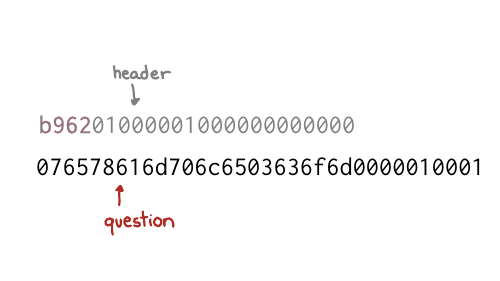
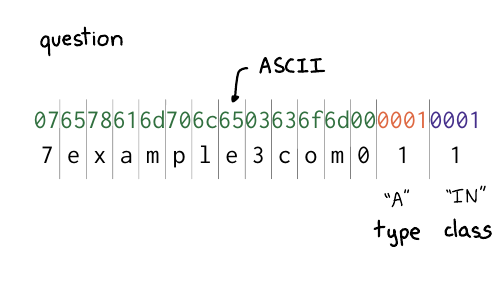
I broke up the question section here. There are two parts
you might recognize from example.com: there's example, and com.
The way it works is that first you have a number (like 7), and then a
7-character string, like "example". The number tells you how many characters to
expect in each part of the domain name. So it's 7, example, 3, com, 0.
And then at the end, you have two more fields for the type and the class. Class 1 is code for "internet". And type 1 is code for "IP address", because we want to look up the IP address. is
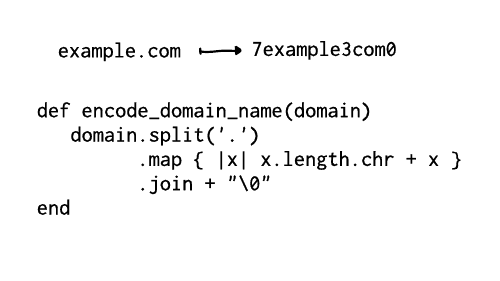
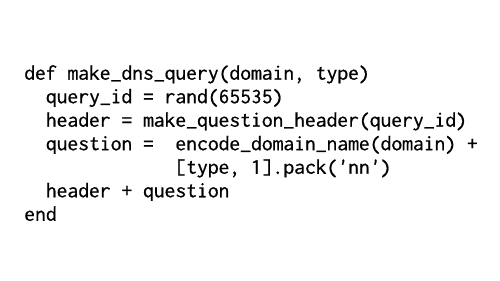

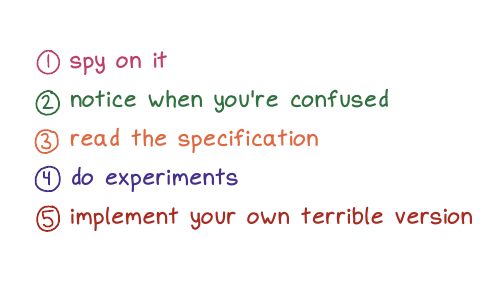
First, spy on it. I find that when I look at things like to see like really what's happening under the hood, and when I look at like, what's in the bytes, you know what's going on? It's often like not as complicated as I think. Like, oh, there's just the domain name and the type. It really makes me feel far more confident that I understand that thing.
I try to notice when I'm confused, and I want to say again, that noticing when you're confused is something that like we don't always have time for right? It's something to do when you have the energy. For example there's this weird DNS query I saw in one of the demos today that I don't understand, but I ignored it because, well, I'm giving a talk. But maybe one day I'll feel like looking at it.
We talked about reading the specification, which, there are few times I feel like more powerful than when I'm in like a discussion with someone, and I KNOW that I have the right answer because, well, I read the specification! It's a really nice way to feel certain.
I love to do experiments to check that my understanding of stuff is right. And often I learn that my understanding of something is wrong! I had an example in this talk that I was going to include and I did an experiment to check that that example was true, and it wasn't! And now I know that. I love that experiments on computers are very fast and cheap and usually have no consequences.
And then the last thing we talked about and truly my favorite, but the most work is like implementing your own terrible version. For me, the confidence I get from writing like a terrible DNS implementation that works on 11 different domain names is unmatched. If my thing works at all, I feel like, wow, you can't tell me that I don't know how DNS works! I implemented it! And it doesn't matter if my implementation is "bad" because I know that it works! I've tested it. I've seen it with my own eyes. And I think that just feels amazing. And there are also no consequences because you're never going to run it in production. So it doesn't matter if it's terrible. It just exists to give you huge amounts of confidence in yourself. And I think that's really nice.

thanks to the organizers!
Thanks to the RubyConf Mini organizers for doing such a great job with the conference – it was the first conference I’d been to since 2019, and I had a great time.
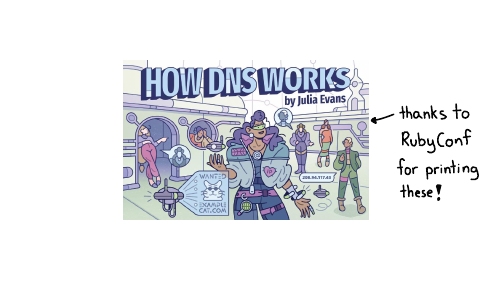
a quick plug for “How DNS Works”
If you liked this talk and want to to spend less than 10 years learning about how DNS works, I spent 6 months condensing everything I know about DNS into 28 pages. It’s here and you can get it for $12: How DNS Works.