Reading List
The most recent articles from a list of feeds I subscribe to.
PHP wishlist: The pipe operator
Is it weird to have a favorite operator? Well, the pipe operator |> is mine. Not only does it look cool, it opens a world of possibilities for better code.
Unfortunately, it’s not available in any of the languages I use on a daily basis. There are proposals to add it to PHP and JavaScript, but we’re not there yet. I’d like to expand on why I think the pipe operator would be a valuable addition to the language from a PHP developer’s perspective.
The pipe operator takes a value from the left side, and passes it as the input for a function on the right side.
// This is the same as `sum(1, 2)`
1 |> sum(2);
Adding the pipe operator to PHP isn’t a new idea. Sister language Hack has always had the pipe operator.
Hack’s pipe operator is more verbose as it requires a $$ token to indicate which parameter the output should be passed to.
'Hello, world!'
|> strtolower($$)
|> substr($$, 0, -1)
|> str_replace(',', '', $$)
// 'hello world'
PHP’s standard library wasn’t built with the pipe operator in mind. Functions like str_replace($find, $replace, $subject) or array_map($callback, $subject) aren’t a good match because the subject isn’t the first argument. Hack uses a token to have them play well with the pipe operator.
I prefer a more succinct approach without the token. With short closures in PHP 8, I don’t think the token isn’t as needed anymore as we can wrap functions with an incompatible signature.
'Hello, world!'
|> strtolower(...)
|> substr(0, -1)
|> fn ($greeting) => str_replace(',', '', $greeting)
// 'hello world'
No more wrappers
I love Laravel collections, but I prefer the pipe operator. Take this chain of operations using a collection:
$users = Users::all()
->map(fn (User $user) => …)
->filter(fn (User $user) => …)
->take(5)
->toArray();
With the pipe operator, User:all() could return an array and work with a set of array functions.
// (This doesn't exist, just an example)
use Illuminate\Support\Collection\{map, filter, take};
$users = Users::all()
|> map(fn (User $user) => …)
|> filter(fn (User $user) => …)
|> take(5);
The chain starts with an array and ends with an array. No need to start with a collection object, and cast it back to an array after. We can keep using the primitive, more portable datatype.
Another benefit is we don’t need macros anymore.
Collection::macro('foo', fn (Collection $collection) => …);We can mix and match third party methods with our own.
use App\Support\Collection\{foo}
use Illuminate\Support\Collection\{map, take};
$users = Users::all()
|> map(…)
|> foo(…)
|> take(…);
This is true for any class that wraps or extends a primitive object. Laravel recently added a Str class similar to Collection. With the pipe operator, we don’t need an additional class to do fluent operations on strings. Many projects also use a custom DateTime implementation like Carbon or Chronos. All would be moot if we can define our own functions that we can pipe a DateTime object into.
Carbon::now()->isFuture();
// vs.
DateTime::now()
|> isFuture();
With the pipe operator, we get the ergonomics of boxed objects, without the overhead of wrapping & unwrapping them.
The deeper effect on your codebase
While the above examples illustrate the ergonomics of the pipe operator, it also has a deeper effect on your codebase. It promotes decoupling data from processes.
For example, we’re building a webshop that sells paper. We’ve got a Paper model, and a custom collection class to filter down a collection of Paper.
We want a unique array of colors available for letter-sized paper that costs between €5 and €10.
$paperCollection
->withPriceBetween(5_00, 10_00)
->withSize(PaperSize::Letter))
->colors()
->toArray();
The collection class:
class PaperCollection extends Collection
{
public function withSize(PaperSize $size): self
{
return $this
->filter(fn (Paper $paper) => $paper->size === $size);
}
public function withPriceBetween(int $min, int $max): self
{
return $this
->filter(fn (Paper $paper) => $paper->price >= $min && $paper->price < $max);
}
public function colors(): Collection
{
return $this
->map(fn (Paper $paper) => $paper->color)
->uniq();
}
}
But the webshop doesn’t only sell paper, it also sells pens. Now we want a unique array of colors available for ballpoint pens cost between €5 and €10. We’ll create a Pen and PenCollection.
$penCollection
->withPriceBetween(5_00, 10_00)
->withType(PenType::Ballpoint))
->colors()
->toArray();
class PenCollection extends Collection
{
public function withType(PenType $size): self
{
return $this
->filter(fn (Pen $pen) => $pen->type === $type);
}
public function withPriceBetween(int $min, int $max): self
{
return $this
->filter(fn (Pen $pen) => $pen->price >= $min && $pen->price < $max);
}
public function colors(): Collection
{
return $this
->map(fn (Pen $pen) => $pen->color)
->uniq();
}
}We’re entering duplication territory. Twice is fine, but once we start selling scissors we’ll run out of patience. How can we refactor?
We could move withPriceBetween and colors to a trait, but we still need custom PenCollection and PaperCollection classes.
We could have our custom collections extend a common ProductCollection, but in my experience we’re digging ourselves a deeper hole that way. At some point, we’ll come across another shared method that doesn’t fit “product” either.
Enter the pipe operator. No more need to worry about having methods on a single collection class. If we convert them to static methods we can use different functions throughout without them needing a fixed home.
class PaperCollection
{
/** @param Paper[] $paper */
public static function withSize(array $paper, PaperSize $size): self
{
return array_filter(
$paper,
fn (Paper $paper) => $paper->size === $size,
);
}
}
class PenCollection extends Collection
{
/** @param Pen[] $pens */
public static function withType(array $pens, PenType $size): self
{
return array_filter(
$pens,
fn (Pen $pen) => $pen->type === $type,
);
}
}
class ProductCollection
{
/** @param Product[] $products */
public static function withPriceBetween(array $products, int $min, int $max): self
{
return array_filter(
$products,
fn (Product $product) => $product->price >= $min && $product->price < $max,
);
}
/** @param Product[] $products */
public static function colors(array $products): Collection
{
return $products
|> fn (array $products) => array_map(fn (Product $product) => $product->color, $products)
|> array_unique();
}
}
$paperCollection
|> ProductCollection::withPriceBetween(5_00, 10_00);
|> PaperCollection::withPaperSize(PaperSize::Letter)
|> ProductCollection::colors()
$penCollection
|> ProductCollection::withPriceBetween(0_00, 10_00);
|> PaperCollection::withType(PenType::Ballpoint)
|> ProductCollection::colors()Namespaced functions are also an option. They’ll need to be stored in a separate file and autoloaded accordingly.
namespace App\Paper;
/** @param Paper[] $paper */
function withSize(array $paper, PaperSize $size): self
{
return array_filter(
$paper,
fn (Paper $paper) => $paper->size === $size,
);
}
But they look so much better!
use App\Paper\withPaperSize;
use App\Product\{withPriceBetween, colors};
$paperCollection
|> withPriceBetween(5_00, 10_00);
|> withPaperSize(PaperSize::Letter)
|> colors()
Pipe operator RFC
In 2020, Larry Garfield created an RFC to add the pipe operator in PHP. I like how Larry described the pipe operator in a comment:
Scalar methods work if and only if the method you want to use is one that was pre-blessed as a method. If not, you’re SOL. Pipes allow any type-compatible function at all to be used, anywhere. There’s simply no comparison in terms of the flexibility it allows.
Unfortunately the RFC was declined for PHP 8.1. There were two recurring arguments why it was declined.
First, there was discussion wether it should use a token. Back to one of my previous examples:
'Hello, world!'
|> strtolower($$)
|> substr($$, 0, -1)
|> str_replace(',', '', $$)
// 'hello world'
I don’t really mind wrapping code in an arrow function when the argument order is an issue. Or I would use a third party library that wraps standard PHP functions with pipe-friendly signatures.
'Hello, world!'
|> strtolower(...)
|> substr(0, -1)
|> fn ($greeting) => str_replace(',', '', $greeting)
// 'hello world'
Second, many noted a pipe function can exist in userland. While true, a custom pipe will be difficult to statically analyze for type-safety between function calls. More importantly, it doesn’t promote writing pipe-friendly code in general. Adding the pipe operator to the language would push developers to consider separating data from processes.
I hope the pipe operator can be reconsidered in a future PHP version.
200
It's meta blogging time, because this is my 200th post. Vanity metrics, I know, but sometimes you've got to celebrate milestones. Even the merely numerical ones. When I wrote my 150th post two years ago, I described why I blog and what about. This time, I want to focus on how I do it and look at the subjects of the last 50.
A lot of posts start on my phone
There are plenty of tools for writing. Fancy physical notebooks, favourite text editors, and what not. I do use both, but usually I start a post on my phone. It somehow is my least distracting device, and very portable. My setup is that I have iA Writer, which I love for its radical simplicity and advanced typography, on my phone and computers. I've got a couple of folders that are synced through iCloud, including for posts and talk ideas. They are literally folders—iA Writer just picks them up and displays them as folders in their UI. When I start a post, I create a file. Sometimes it stays around for days, weeks or months, sometimes I finish a draft in half an hour.
When the post is almost ready, I'll usually do another round on a computer. This is essential if the post needs images or code examples, sometimes I can skip it if a post is just text. This is usually also the time when I start adding it into my website and reach out to people for feedback, if it's the kind of post that very much needs review.
Having my posts exist in a cloud service has been a game changer, because it means I can blog when inspiration strikes. When I used to go swimming, I would sometimes think up a blog post while in the water and write up a quick structure of first draft in the changing room or the cafe nearby. Sometimes I revise a draft when I sit on a tram or bus, or add some more examples when I arrived early for an appointment. Sometimes I return to it on a computer, then a phone, then a tablet.
As for the format: I use Markdown processed by Eleventy. I am aware of the disadvantages, but this is a one-person-who is-a-developer-and-very-comfy-in-a-text-editor blog kind of use case. Still, I am pondering re-introducing a CMS so that it can manage images and history in a way that doesn't involve me committing into git (who needs commits for typos?) or compressing images by hand.
Getting the words flowing
A friend asked how I manage to write on this blog regularly, alongside other responsibilities. I don't know the secret, but I can offer two thoughts.
Firstly, my writing is usually a way to clarify my thinking, it sort of defragments thoughts, if that makes sense. It doesn't really add much to the time I would need for defragmenting thoughts anyway, if anything it speeds that process up. If I spiral in circles about a subject, jotting my thoughts down helps me get out of that spiral. Sometimes the result is I find out I was very wrong, sometimes I get to a post I deem worthy of publishing and often I end up somewhere in between.
Secondly, I try and add ideas to drafts when they come up. Like, I had a file with ‘200’ in it for a while that eventually got a few bullets and then became this post. When I feel like making a thread on social media, I force myself to make a draft post here instead. Occassionally, like when I haven't written for a while, I'll go through the drafts. There isn't really a magic trick here either, it's a habit if anything. And I guess it helps words come to me naturally, like numbers do for others.
Thirdly, a bonus one: it helps me to keep things very simple and stay away from tweaking too many things (eg I only switched tech stack once in 15 years and kept the design roughly the same). I won't say I'm not tempted, I mean it is fun to try out new things and this blog is definitely a playground for me to test new Web Platform features, but I try and focus on the posts.
My 50 most recent posts
The cool thing about having your own blog is that it doesn't need to have a theme per se. Mine follows some of my interests and things I care about: the web, components and accessibility.
On web platform features, I wrote about spicy sections (out of date now as I updated my site and there are some different ideas and solutions for tabs on the web), selectmenu and dialogs.
As I used Eleventy more, I wrote about using it for WCAG reports and for photo blogging.
A lot of my posts were also about web accessibility, like this primer on ATAG, two posts about low-hanging fruit issues (part 1, part 2) , what's new in WCAG 2.2 and the names section of ARIA. These posts usually start because I had to give some advice in an accessibility audit report I wrote, or because I couldn't find a blog post sized answer to a question I personally had.
I also covered some events, like dConstruct 2022, documentation talks at JSConf and JSNation, Beyond Tellerrand 2021 and an on-stage interview with Cecilia Kang on her fascinating book An Ugly Truth. These kinds of posts help me process what I learned at the event. While I write, I usually look up URLs speakers mentioned or try out features they discussed, so it's a bit of experiencing the whole thing twice.
This year, I hope to write more about CSS and other UI features in the browser. I did one post about using flex-grow for my book site, but want to dive deeper into subjects like scroll snapping, container queries and toggles. Even if Manuel has already covered every single CSS subject ever in the last few months (congrats, my friend!). I also want to cover design systems and Web Components more. I have some other subjects in mind too, and am open to suggestions too, just leave a comment or slide in my DMs. Thanks for reading my blog!
Originally posted as 200 on Hidde's blog.
Migrating weaker password hashes by nesting them in an outer hash
Adventures in password hashing + migrating to Argon2id
Print copies of The Pocket Guide to Debugging have arrived
Hello! We released The Pocket Guide to Debugging back in December, and here’s a final update: the print copies are done printing and they’ve arrived at the warehouse, ready to ship to anyone who wants one.
You can buy the print or PDF version now, and if you preordered it, your copy should already have shipped. Some people have told me that they already received theirs! Email me if you haven’t gotten the shipping confirmation.
some pictures
Here are some photos of what the print version looks like:

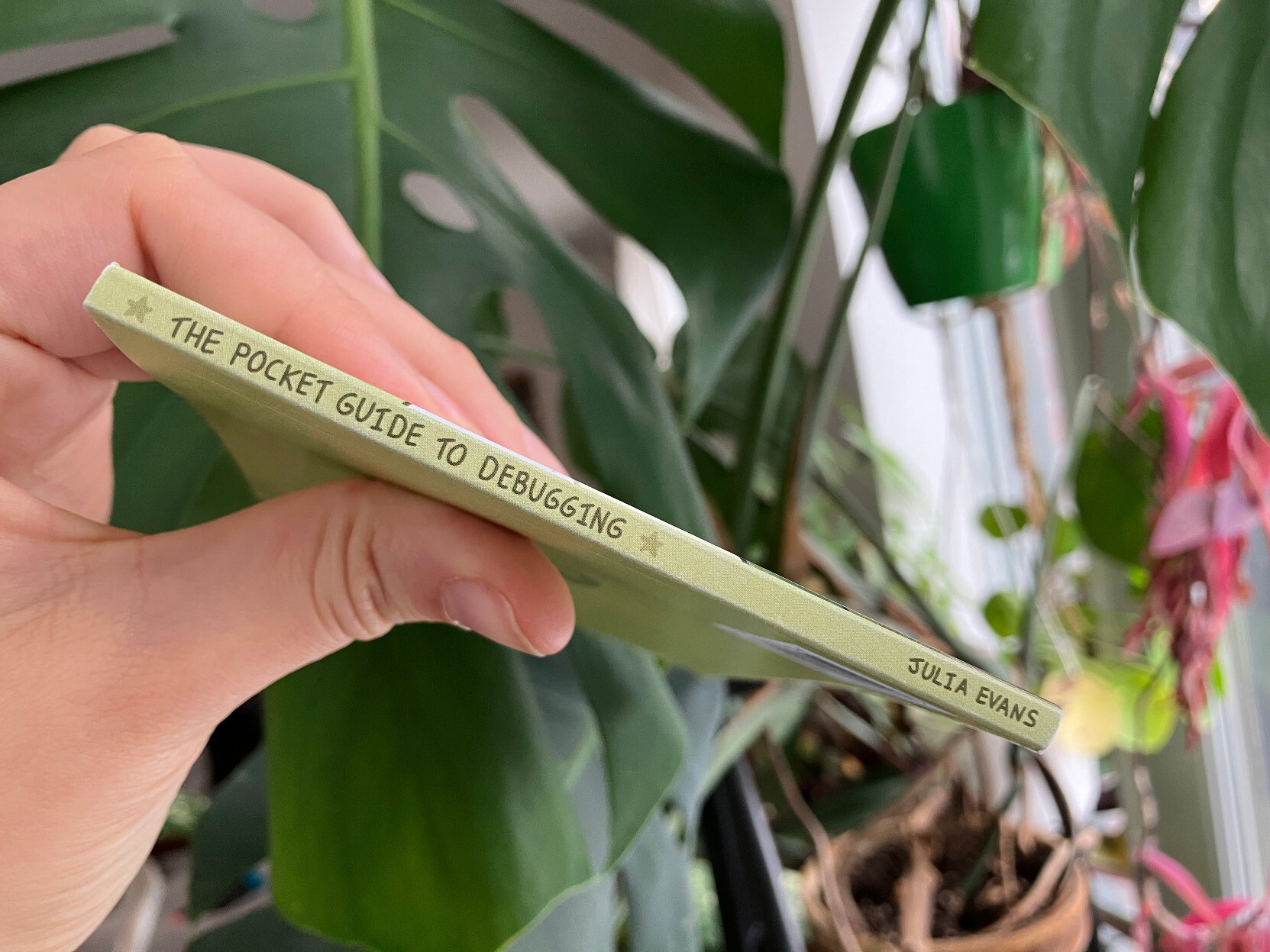
what was involved in printing it
In case anyone is interested, here’s what was involved in putting together the print version:
- Make a PDF copy that people can print on their home printer (with a 360-line Python program)
- Test on my home printer that the “print at home version” prints properly
- Release the “print at home” version (this was back in December)
- Take a couple of weeks off, since it’s the end of the year
- Ask the illustrator to make a back cover
- Get a quote from the print company
- Agonize a bit over whether to print the zine as perfect bound or saddle stitched (stapled). Pick perfect bound.
- Find out from the print company how wide the spine has to be
- With the help of the illustrator, make a design for the spine.
- Get an ISBN number (just a couple of clicks at Libraries and Archives Canada)
- Get a bar code for the ISBN (from bookow), edit it to make it a little smaller, and put it on the back cover
- Send the new PDF to the print company and request a print proof
- Wait a week or so for the proof to get shipped across the continent
- Once the proof arrives, realize that the inner margins are too small, because it was perfect bound and perfect bound books need bigger margins (We’d already tried to account for that, but we didn’t make them big enough)
- Measure various books I have around the house and print some new sample pages to figure out the right margins
- Painstakingly manually readjust every single page to have slightly different proportions, so that I can increase the margins
- Edit the Python script to make a new PDF with the bigger margins
- Send the final files to the print company
- Wait a week for them to print 1500 copies
- The print copies arrive at the warehouse!
- Wait another 3 business days for the (amazing) folks who do the shipping to send out all 700 or so preorders
- Success!
Printing 1500 copies of something is always a little scary, but I’m really happy with how it turned out.
thanks so much to everyone who preordered!
If you preordered the print version, thanks so much for your patience – having the preorders really helps me decide how many to print.
And please let me know if something went wrong – 1 or 2 packages always get lost in the mail and while I can’t help find them, it’s very easy for me to just ship you another one :)