Reading List
The most recent articles from a list of feeds I subscribe to.
Passive plugins I use in Neovim
How I use Neovim
Looking for a new opportunity
Robin Rendle: 'Tech Last'
Crypto, AI, JavaScript frameworks,… are interesting tech, but that doesn’t mean they need to be shoehorned into every product.
Set a direction, and choose the tools you’ll need to get there. Don’t choose a direction based on the tools in your disposal.
… by chasing trends we would never be the ones to set them.
My first experiment with Svelte: Shorthex
For the past few months, I’ve been experimenting with Svelte & SvelteKit. Svelte peaked my interest because it’s a tool molded by the web. A lot of Svelte APIs piggyback on existing web affordances like plain HTML and CSS variables.
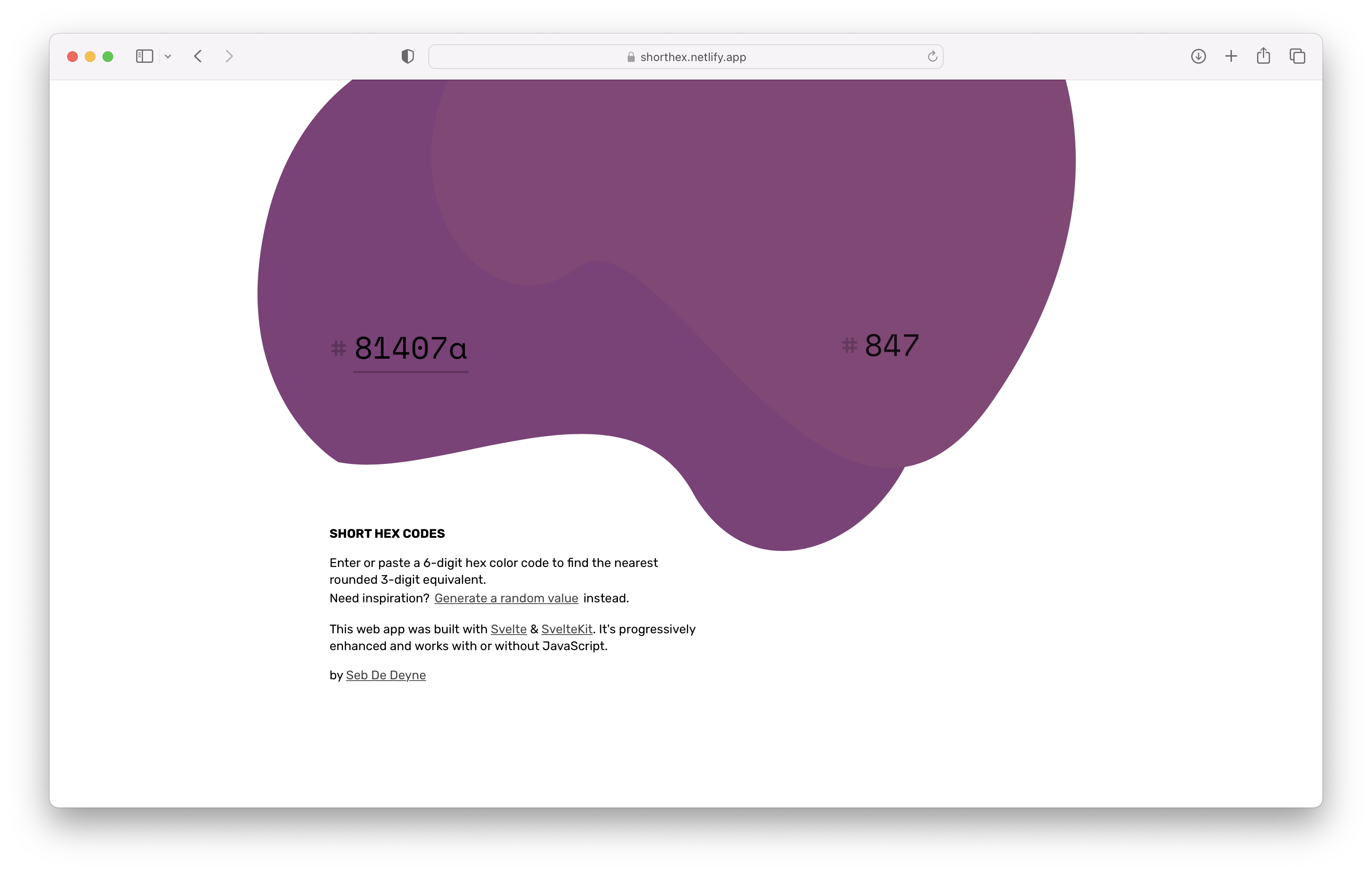
Shorthex is a small app to transform 6-digit hex color codes to 3-digit codes. Here’s a quick overview of the features of Svelte I enjoyed using.
HTML-first
Svelte is a breath of fresh air coming from a few years of digging deep in React, which puts JavaScript first. Svelte feels like a web-native citizen because a component starts with HTML. You can paste a blob of HTML and you have a working component. Need reactivity? Add a <script> tag. Need scoped CSS? Add a <style> tag.
A quick demo:
<!-- Greeter.svelte -->
<script>
// A prop
export let name = '';
// A reactive statement
$: lowerCaseName = name.toLowerCase();
</script>
<!-- No need to wrap the template, plain HTML -->
<h1>hello {lowerCaseName}</h1>
<style>
/* Scoped to the component */
h1 {
color: var(--color, black);
font-family: 'Berkeley Mono';
}
</style>
<!-- Rendering a component,
CSS variables can be passed down like props -->
<Greeter
name="Sebastian"
--color="red"
/>SvelteKit & progressive enhancement
SvelteKit is Svelte’s full-stack framework similar to Next.js and Nuxt.js. It uses file-based routing and has server side rendering baked in. SvelteKit also has great TypeScript support.
Thanks to SvelteKit’s SSR capabilities, I was able to build Shorthex with progressive enhancement. Despite being built with a JavaScript framework, it doesn’t require any JavaScript to run!
The main input is wrapped in a <form> tag, which when submitted does a GET request to reload the page with the selected color. When JavaScript is enabled, it prevents the submit event and rerendered with Svelte.
First-party animation helpers
Svelte provides first-party animation helpers in svelte/motion and svelte/easing. These allow you to interpolate values and bind them to HTML. In Shorthex, I used them to tween values of an SVG path to add motion. Animating the SVG color blobs was also an interesting dive into bezier curves.
The code for Shorthex is public on GitHub, take a look!
Svelte left a great first impression, and I’m looking forward to more experiments.