Reading List
The most recent articles from a list of feeds I subscribe to.
Marcin Wichary Visits the Large Scale Systems Museum
I’d never before heard of this museum, but now that I’ve seen Wichary’s photos, I want to go. Unsurprisingly, a lot of his shots are details of vintage keyboards. I keep pausing on this one, a “RE-START” key with the word broken across two lines. It’s clearly wrong but somehow feels right.
I’m linking to his album at Flickr, but he posted a long thread of images to Mastodon too.
MacOS Tip: Enable the Zoom ‘Peek’ Gesture
Marcin Wichary, at Unsung:
Go to Settings > Accessibility > Zoom, and then turn on “Use scroll gesture with modifier keys to zoom.”
Then, at any moment, you can hold Control and swipe with two fingers (or use a scroll wheel) up or down to zoom the entire screen.
I’d also recommend turning off “Smooth images” under “Advanced…” so you see individual pixels better.
This is one of the very best MacOS tips. No third-party software. Built into MacOS for several (many?) years now. Incredibly useful.
But I had no idea it existed until last June at WWDC. It was Monday, after the morning keynote and just before the afternoon State of the Union. Beautiful sunny day at Apple Park. I ran into my old friend Cabel Sasser, and, maniac that he is, he’d already installed the first Tahoe developer beta on his MacBook Pro. So I sat next to him and we started examining the UI changes in detail. And Cabel was zooming in and out instantaneously. I was like, “Whoa, how are you doing that?” And Cabel was like, “You don’t know about the Accessibility Zoom gesture? Here, let me show you!” And my mind was blown. Cabel emphasized the importance of going into the “Advanced…” dialog to turn off “Smooth images”, and I agree. This is a fantastic feature, but Apple has the default setting wrong for smoothing (a.k.a. blurring) the zoomed image. I honestly can’t imagine why anyone would want the zoomed image blurred.
Anyway, then we both laughed ourselves silly and made ourselves a little queasy examining, in detail, just how bad the Tahoe UI was. And I thought to myself, I need to post this as a tip on Daring Fireball.
Well, it took 10 months, but Wichary posting it on Unsung reminded me that I never posted about it here. [Update: Actually...] Turn this on, start using it, and you’ll find yourself using it every day if you care about design details.
Bonus tip: Subscribe to Wichary’s Unsung in your RSS reader. He’s only been posting there since early December, and it quickly became one of my favorite blogs in the world. One of those blogs where I’m excited every time I see there’s a new post. I would read a post from Wichary describing what it’s like to watch paint dry, because I know he’d only write about it if he noticed something interesting and nuanced. Because he’s only been writing Unsung for a few months, you can catch up on the whole thing.
FT: ‘Meta Builds AI Version of Mark Zuckerberg to Interact With Staff’
Hannah Murphy, reporting for the Financial Times (paywalled, but Ars Technica has a no-paywall syndicated copy):
The company recently began prioritising a Zuckerberg AI character, three of the people said.
The Meta chief is personally involved in training and testing his animated AI, which could offer conversation and feedback to employees, according to one person. They added that the character is being trained on the billionaire’s mannerisms, tone and publicly available statements, as well as his own recent thinking on company strategies, so that employees might feel more connected to the founder through interactions with it.
This is so straight out of every dystopian sci-fi film about an evil corporation that it’s hard to believe.
Top comment on Hacker News, from “flibbityflob”:
How will a machine ever replace his famous warmth or empathy?
Zed — A Font Superfamily
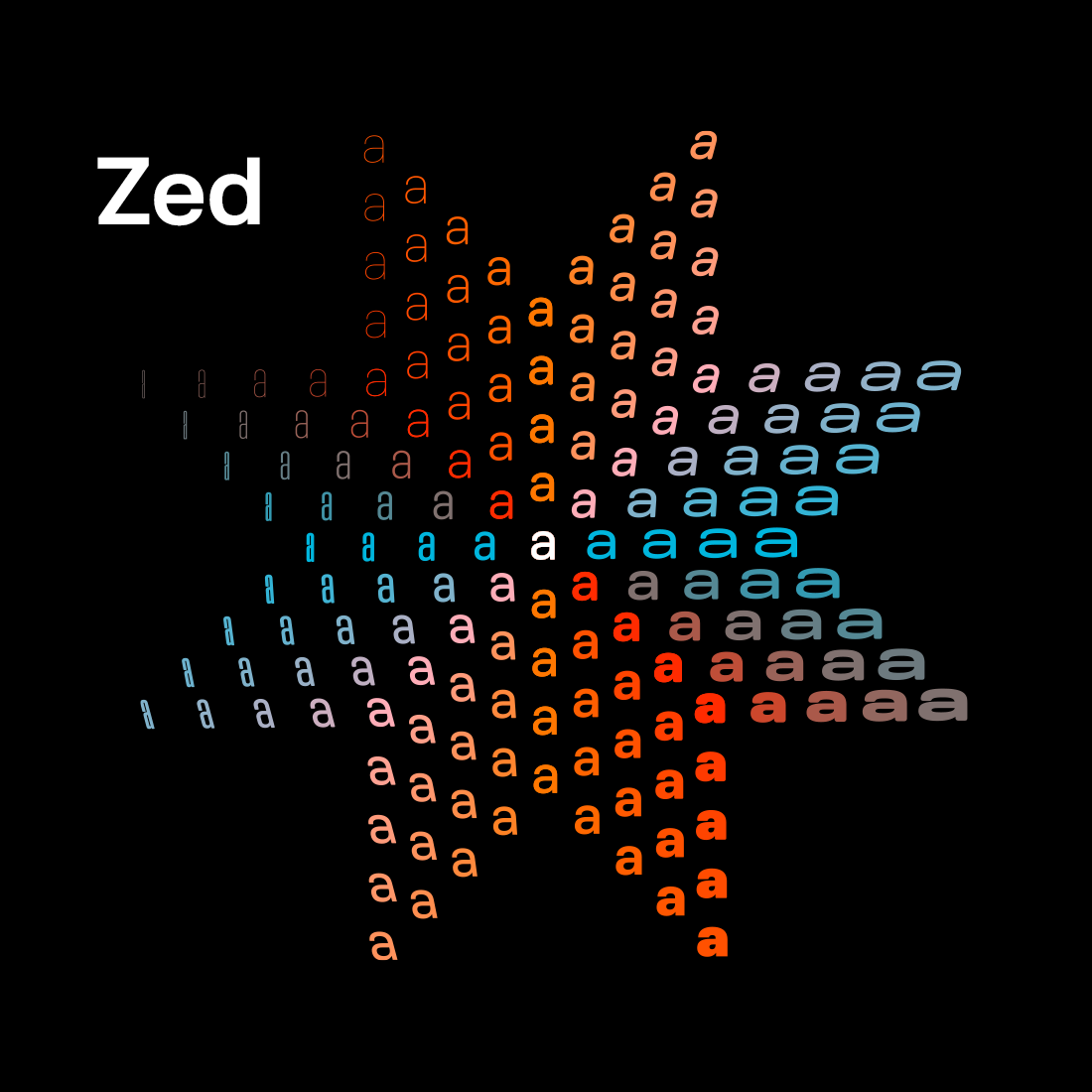
My thanks to Typotheque for sponsoring last week at DF to promote Zed, their incredible new font superfamily. Zed is a type system that was developed with one question in mind: what do readers actually need? Not what looks good in a type specimen, but what works for the widest possible range of readers. Typotheque tested Zed with visually impaired patients at a French ophthalmology hospital and found that Zed Text outperformed Helvetica in terms of reading speed across all patient groups. Designed from scratch to perform different functions, it comes in two optical versions — Text and Display — with four variable axes and support for 547 languages, including endangered ones.
Zed is extremely practical, both in terms of its extraordinarily broad language support and the stylistic variations available via its adjustable width, weight, roundness, and slant. It even offers Braille characters and an icon font. But Zed is also simply beautiful. It’s a font family and type system that exemplifies the belief that rich accessibility and pure aesthetic appeal are not at odds.
When you purchase a license for Zed, you’re buying it directly from the designers. It’s just lovely, and you should check it out. (Don’t miss the short introductory video, either.)
Viktor Orban Loses Election in Hungary, Concedes Defeat, Congratulates Opposition Winners
The New York Times:
In a surprisingly early and gracious concession speech in Budapest, Mr. Orban congratulated the opposition saying, “The responsibility and opportunity to govern were not given to us.” But, he also made a vow: “We are not giving up. Never, never, never.”
His defeat paves the way for Peter Magyar, a former Orban loyalist and the leader of the main opposition party, to take over as Hungary’s prime minister once the newly elected Parliament meets.
Orban said the “election results, although not complete, are understandable and clear. They are painful for us but unequivocal.”
There we have it: Viktor Orban — a MAGA star and general anti-democratic corrupt dirtbag — is a better and bigger man than Donald Trump, who still refuses to concede the 2020 election that he unequivocally lost to Joe Biden.