Reading List
The most recent articles from a list of feeds I subscribe to.
Tim MacDonald on HasOne relationships in Laravel
I’ve used HasOne relationships for 1:1 relationships, but those are rare. I haven’t considered using them to scope down relationships, like having one default payment method in a set of n methods.
<?php
class User extends Model
{
public function paymentMethods(): HasMany
{
return $this->hasMany(PaymentMethod::class);
}
public function defaultPaymentMethod(): ?HasOne
{
return $this->hasOne(PaymentMethod::class)
->whereDefault();
}
}
$user->defaultPaymentMethod;
After reading Tim’s post, I have a feeling there are some places where I needed this but didn’t think of it at the time…
Antilibrary: the perfect excuse to buy more books
From Anne-Laure Le Cunff:
An antilibrary is a private collection of unread books. […]
The goal of an antilibrary is not to collect books you have read so you can proudly display them on your shelf; instead, it is to curate a highly personal collection of resources around themes you are curious about. Instead of a celebration of everything you know, an antilibrary is an ode to everything you want to explore. […]
An antilibrary creates a humble relationship with knowledge. It reminds us that our knowledge is finite and imperfect.
I have more unread books than read, and at some point I decided to stop buying books until I read more of the ones I owned.
After learning about the antilibrary, I lifted my own restriction and started to buy books again. The result: I’ve been reading more than ever.
Vite with Laravel: Using Inertia.js
Time for the last—and my favorite—post in the Vite series: using Inertia.js.
Inertia suggests two ways to resolve views in the docs: with require or with import.
requirebundles all your pages in a single file, it’s a Webpack-specific implementationimportcode splits your pages to multiple chunks, and is part of ECMAScript
Because import is a standard, it’s supported our of the box. One little catch compared to usign it with Webpack: with Vite, you must specify the extension in the import template literal.
resolveComponent: async (name) => {
return (await import(`./Pages/${name}.vue`)).default;
},
This setup will code split and emit a JavaScript file per page in the final build.
Without code splitting
If you’d rather bundle your pages in a single file (similar to using require with Webpack) you can use import.meta.globEager instead.
resolveComponent: (name) => {
const pages = import.meta.globEager(`./Pages/${name}.vue`);
return pages[`./Pages/${name}.vue`].default;
},
Advanced imports
import.meta.globEager and its sibling import.meta.glob are also useful for advanced import patterns, similar to Webpack require.context.
In one of our projects, we use the following structure:
resources/
js/
app/
posts/
components/
views/
Edit.vue
Index.vue
Show.vue
profile/
components/
views/
Edit.vue
Show.vue
app.js
In this case, we only want to bundle components in views folders as pages. Files in components aren’t meant to be rendered by Inertia.
A setup like this can be bundled with a glob:
resolveComponent: async (name) => {
const pages = import.meta.glob('./app/**/views/*.vue');
return (await pages[`${name}.vue`]()).default;
},
That concludes the Vite with Laravel series! If you have questions or requests for more posts, talk to me on Twitter.
Path aliases
Vite with Laravel: Using TypeScript
Vite transpiles TypeScript out of the box.
Vite only performs transpilation on
.tsfiles and does NOT perform type checking. It assumes type checking is taken care of by your IDE and build process.
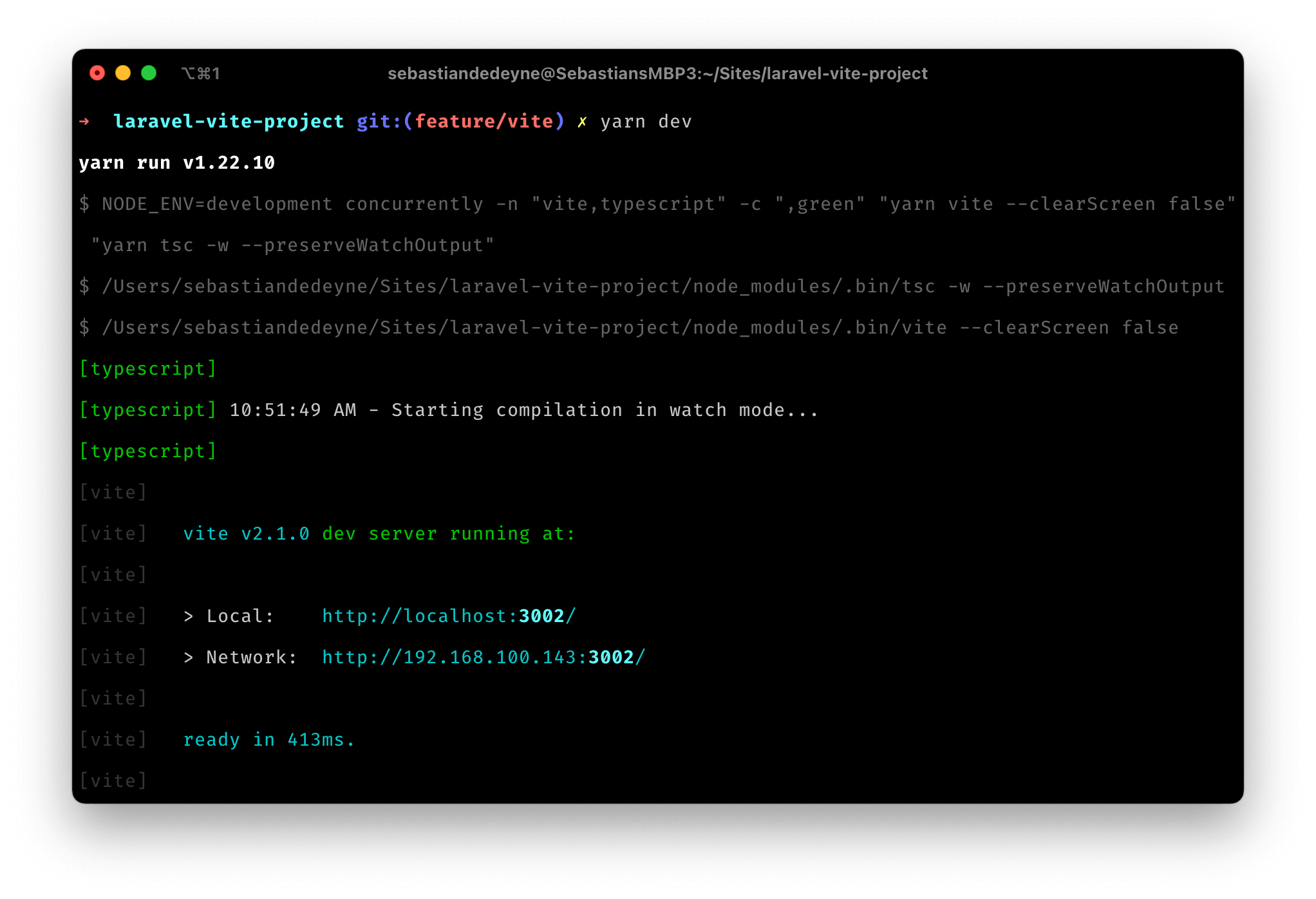
If you like to see type errors in your terminal (like me), you’ll need to add extra tooling. I solved this by running a parallel type check process with concurrently.
First, add concurrently to your dependencies. Then update your dev script to run a TypeScript watcher in parallel with Vite.
 {
"private": true,
"scripts": {
+ "dev": "concurrently \"npm run vite --clearScreen false\" \"npm run tsc -w --preserveWatchOutput\"",
 "production": "vite build"
},
"devDependencies": {
"axios": "^0.21",
+ "concurrently": "^6.0.0",
 "lodash": "^4.17.19",
"vite": "^2.1.0",
}
}
Vite’s --clearScreen and TypeScript’s --preserveWatchOutput flags ensure that they don’t both try to reset the terminal while watching, otherwise you’d only see one of the two’s output at a time.
If you want to make the difference between the two processes more clear, concurrently supports naming and color-coding.
concurrently
-n "vite,typescript"
-c "white,green"
"npm run vite --clearScreen false"
"npm run tsc -w --preserveWatchOutput"
With these settings, your output will look like this:
Vite with Laravel: Using React
Vite supports JSX out of the box (you might have to rename .js files to .jsx), so there are no additional steps to get started with React. However, you’ll probably want to enable React Refresh for a better development experience.
React Refresh lets you edit components without losing the current state of your running application. For example, if you’re working on modal that appears after clicking a button, you’d need to reopen that modal every time the page refreshes. With React Refresh, the modal will stay open after the code reloaded, because it’s able to remember the previous state.
To enable React Refresh, install the @vitejs/plugin-react-refresh package.
 {
"private": true,
"scripts": {
"dev": "vite",
"production": "vite build"
},
"devDependencies": {
+ "@vitejs/plugin-react-refresh": "^1.3.1",
 "axios": "^0.21",
"lodash": "^4.17.19",
"vite": "^2.1.0",
}
}
Next, add it to your vite.config.js.
import reactRefresh from '@vitejs/plugin-react-refresh';
// vite.config.js
export default ({ command }) => ({
base: command === 'serve' ? '' : '/build/',
outDir: 'public/build',
publicDir: 'fake_dir_so_nothing_gets_copied',
build: {
manifest: true,
rollupOptions: {
input: 'resources/js/app.js',
},
},
plugins: [reactRefresh()],
});
Finally, you’ll need to add an extra script in your development snippet.
<script type="module">
 import RefreshRuntime from "http://localhost:3000/@react-refresh"
 RefreshRuntime.injectIntoGlobalHook(window)
 window.$RefreshReg$ = () => {}
 window.$RefreshSig$ = () => (type) => type
 window.__vite_plugin_react_preamble_installed__ = true
</script>
<script type="module" src="http://localhost:3000/@vite/client"></script>
<script type="module" src="http://localhost:3000/resources/js/app.js"></script>
Happy hot reloading!